

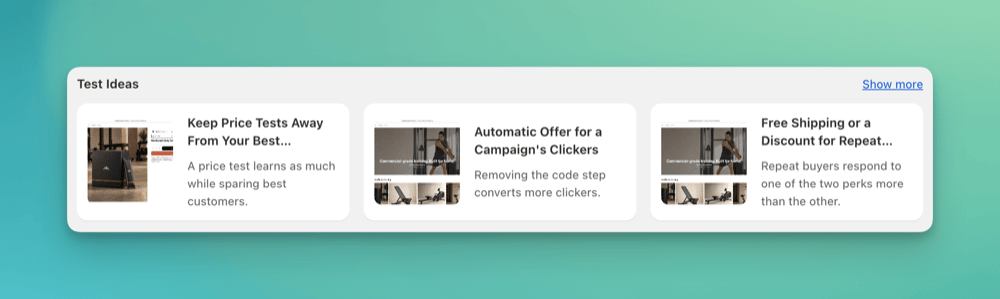
Test Ideas on the ABConvert homepage
When to use it
- Explore test ideas recommended for your store.
- Choose a test based on the goal you want to achieve.
How it works
The ABConvert homepage shows the top three recommended test ideas for your store. On the homepage, select an idea under Test Ideas to review it, or select Show more to browse the Idea Bank. In the Idea Bank, ideas are grouped by the goal you want to achieve. Open an idea to review its hypothesis, score, and suggested test groups.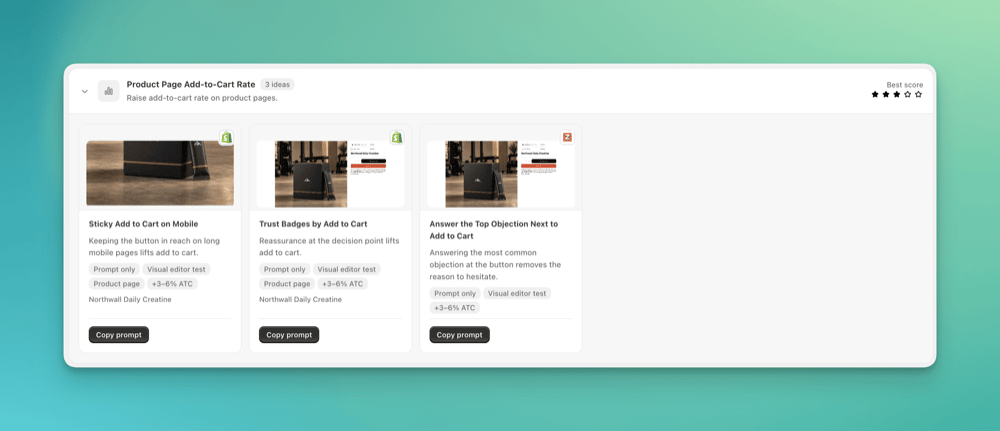
Ideas for the Product Page Add-to-Cart Rate goal
Set up a test from an idea
For some ideas, ABConvert can create a test draft directly. For ideas that require changes to your storefront page design, ABConvert provides a prompt your AI assistant can use to create the test through Model Context Protocol (MCP). We strongly recommend connecting MCP before using the Idea Bank. Follow the MCP quickstart to connect your assistant. Some ideas require a third-party app integration. For example, to use an offer from your best-performing Klaviyo email flow, connect Klaviyo to your AI assistant through MCP so it can read your flow performance. Follow the idea’s prompt for the connections it requires.Create a draft in ABConvert
For an idea that offers Draft, select it to create a test draft. Review the draft’s settings before continuing.Create a test using MCP
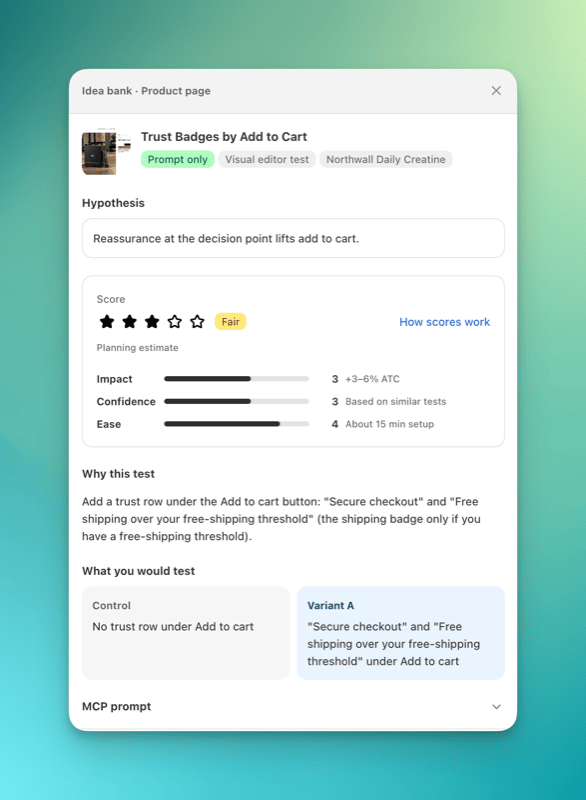
MCP prompt section in the idea details
FAQ
Does creating a draft launch the test?
Does creating a draft launch the test?
No. The test stays in draft until you launch it.