

When to use it
- Compare two existing SKIO-owned subscription offers, such as monthly and prepaid delivery.
- Follow renewals and cancellations for subscribers who purchased through your test.
- Select an existing plan for each product in a subscription test group in a subscription test.
When not to use it
- To change existing subscriber terms, manage those subscriptions in SKIO.
- To create a new subscription plan, create it in SKIO first, then select it in your subscription test.
- To change a product’s one-time price, use a price test.
How it works
SKIO owns the subscription plans and bills renewals. ABConvert selects the plan assigned to each visitor’s test group for new purchases. Existing subscribers keep their current terms. On the product page, each visitor sees one-time purchase and their test group’s plan. Plans assigned to other test groups, and plans with the same delivery frequency, are hidden. Visitors outside the test see all your SKIO plans, so keep one plan per delivery frequency on a tested product. ABConvert warns you in the test setup when a product has more than one. SKIO also lists plans in its customer portal: hide the plans you use for a test from the portal in SKIO, so subscribers can’t switch to them. SKIO sends subscription updates to a webhook URL, an address ABConvert creates for receiving those updates. ABConvert then checks the subscription directly with SKIO before updating your results. A paid renewal must also have a matching paid order in Shopify. The original purchase must belong to a test. Connecting SKIO does not add unrelated past orders to your test results.Before you start
Set these up in SKIO first:- Create your plans. See Getting started with Selling Plans.
- Add the Plan Picker to your product page. See the Plan Picker app block guide. Add it to every product template the test can show, because a template without it shows no plans.
Setup
Setup uses three values from SKIO. Keep the webhook token separate from the API key:Create the ABConvert endpoint
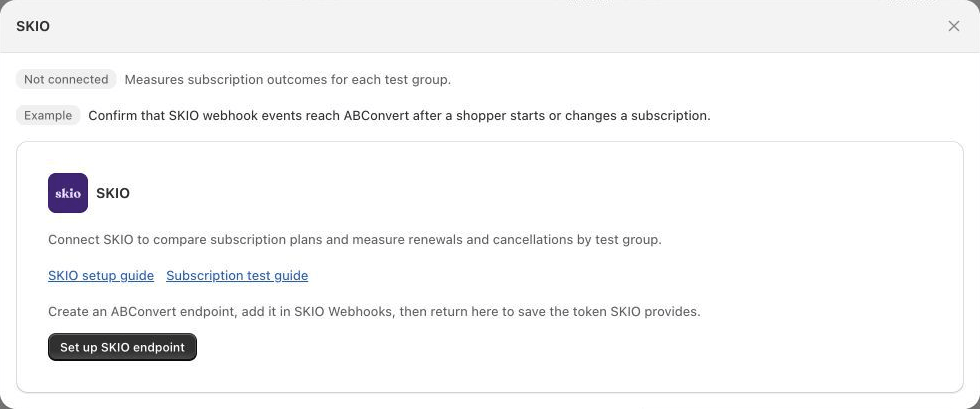
Start SKIO setup from Integrations.
Add the endpoint in SKIO
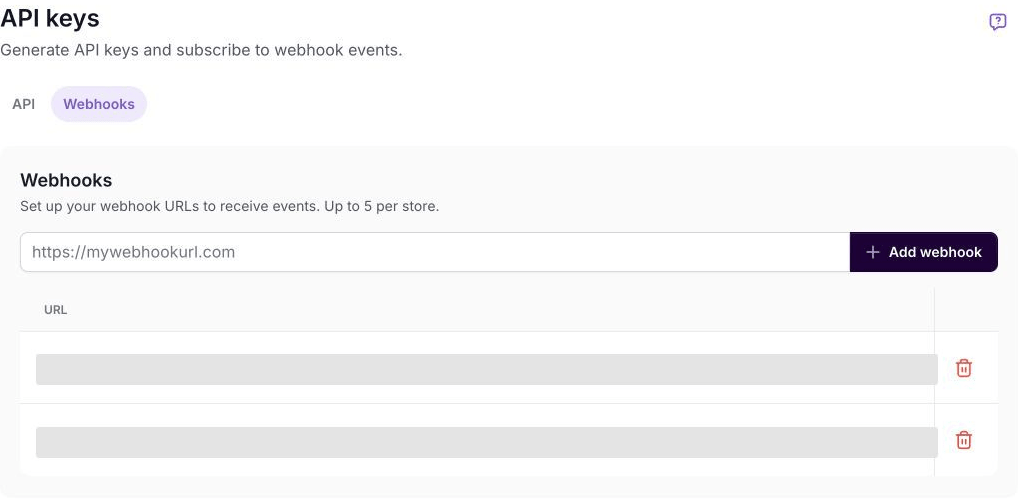
Add the receiving URL in SKIO's Webhooks tab. Existing URLs are hidden in this screenshot.
Save the webhook token
Add API verification
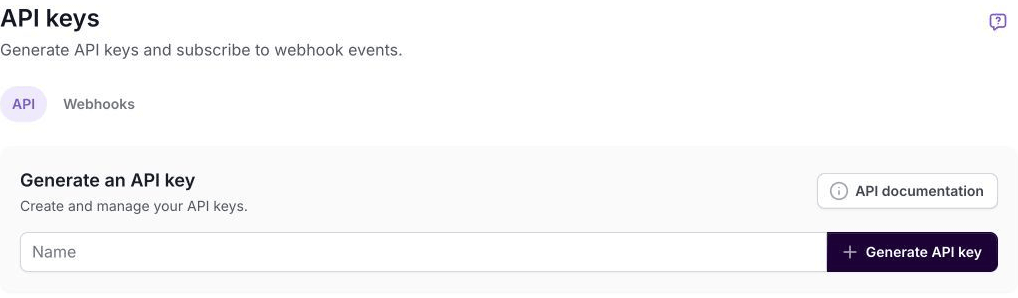
Create the API key from the API tab, separate from the webhook token.
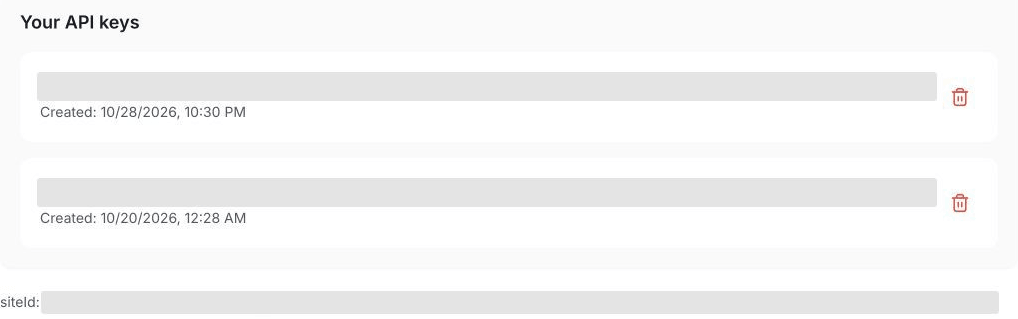
Find the site ID below your saved API keys. Saved names and values are hidden.
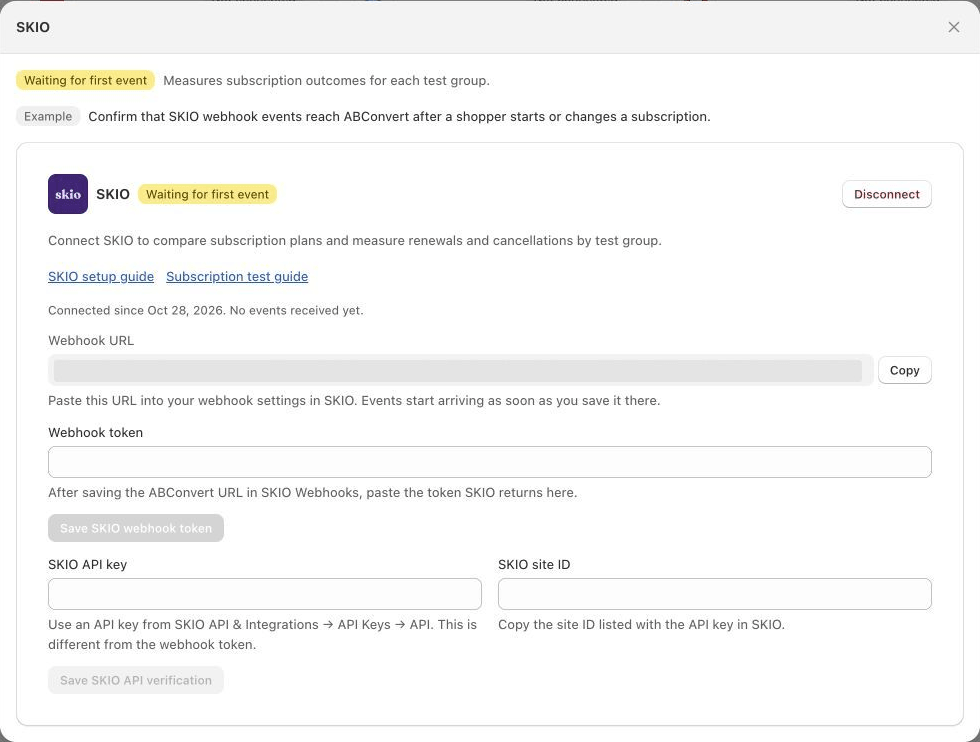
Save the webhook token separately from the API key and site ID. The receiving URL is hidden in this screenshot.
Verify a test subscription
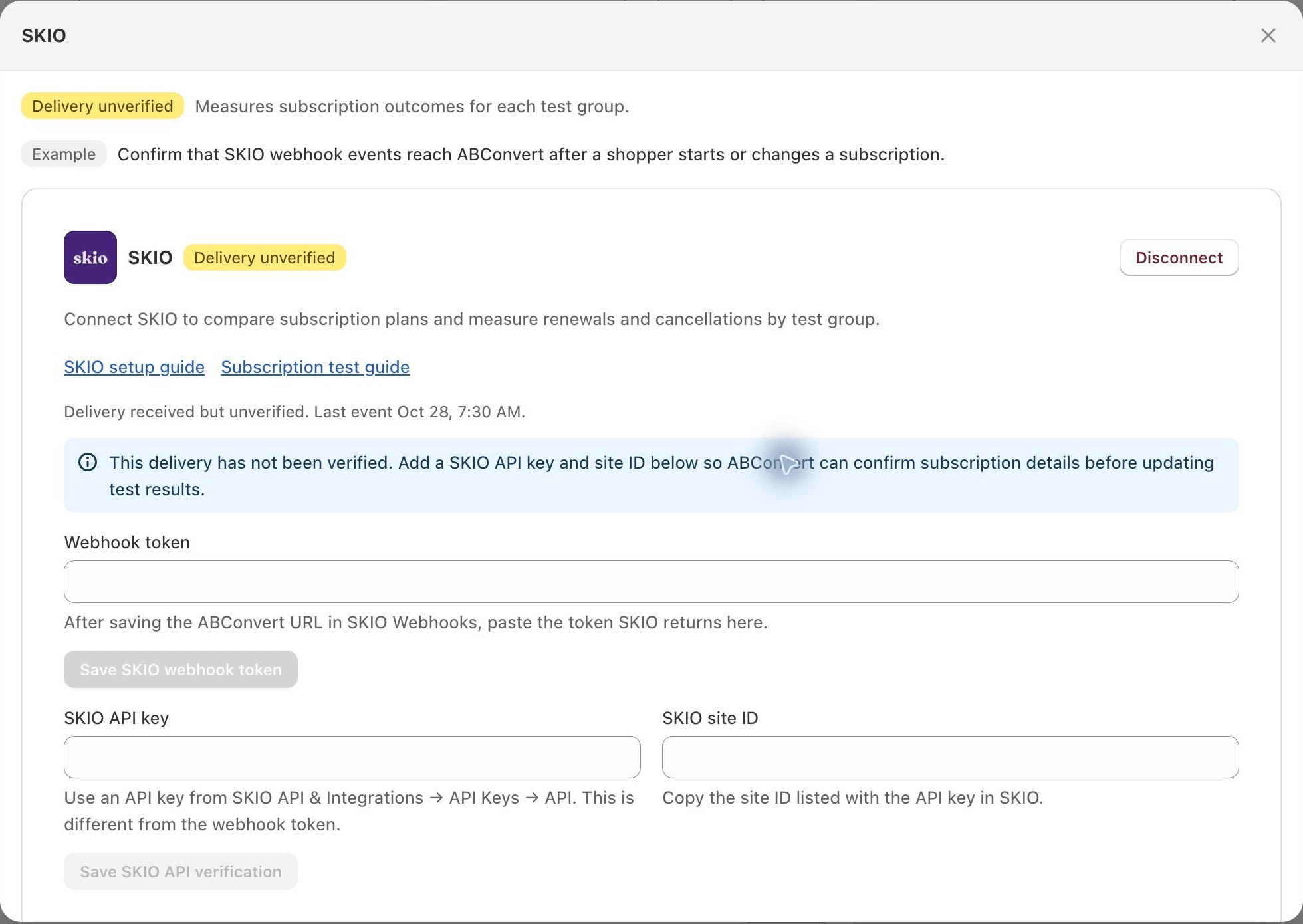
Delivery unverified means an event arrived but its subscription details have not been confirmed.
Update credentials
When SKIO is connected, select Manage credentials to update its webhook token or API verification. Saved secrets stay hidden. Each Save button updates only its own section; Cancel discards unsaved changes. After an update, ABConvert waits for a verified event before showing Connected again.Select a SKIO subscription plan in a test
In SKIO, open Products → Selling Plans to find the plans you want to compare. Prepare each offer in SKIO before selecting it in ABConvert.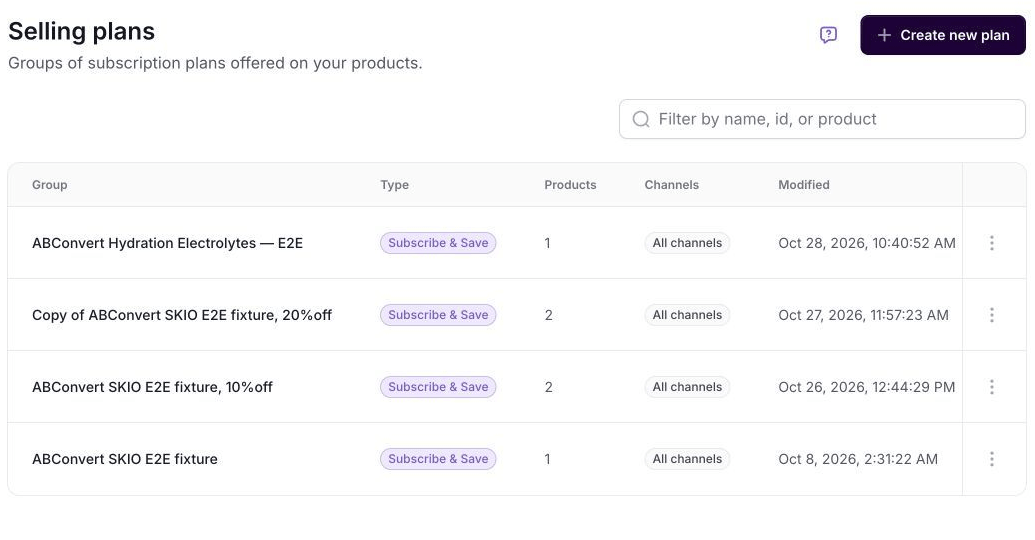
Find your existing subscription offers in SKIO's Selling plans list.
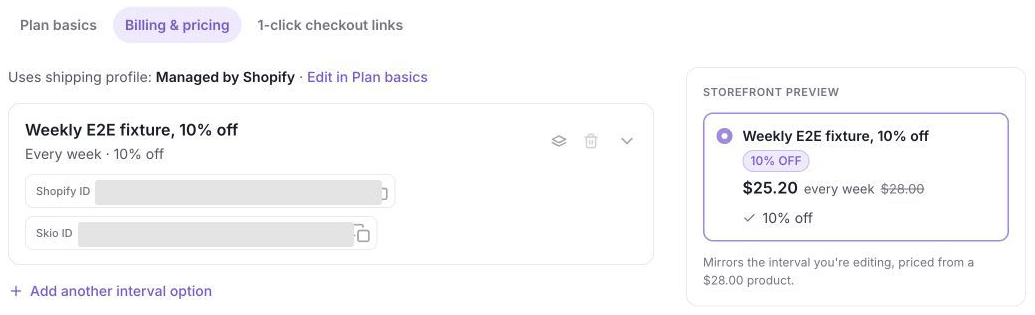
Check the interval and discount in Billing & pricing. This example offers a weekly subscription with 10% off.
Common mistakes
- Replacing a SKIO webhook creates a new token. Save the replacement token in ABConvert before you test delivery again.
- Testing with a real customer subscription can create a renewal or billing action. Use a dedicated test store and test subscription instead.
- A received update alone does not confirm subscription details. Wait for Connected, then check the subscription’s results in your test.
FAQ
Why does SKIO show Delivery unverified after an event arrives?
Why does SKIO show Delivery unverified after an event arrives?
Why is SKIO not updating subscription outcomes in my test results?
Why is SKIO not updating subscription outcomes in my test results?
Can I use a SKIO API key as a webhook credential?
Can I use a SKIO API key as a webhook credential?