

Theme connection
The ABConvert unified script must be activated in your theme for tests to run. This app embed loads the tracking and test logic on every page of your storefront. You can check connection status or change methods here.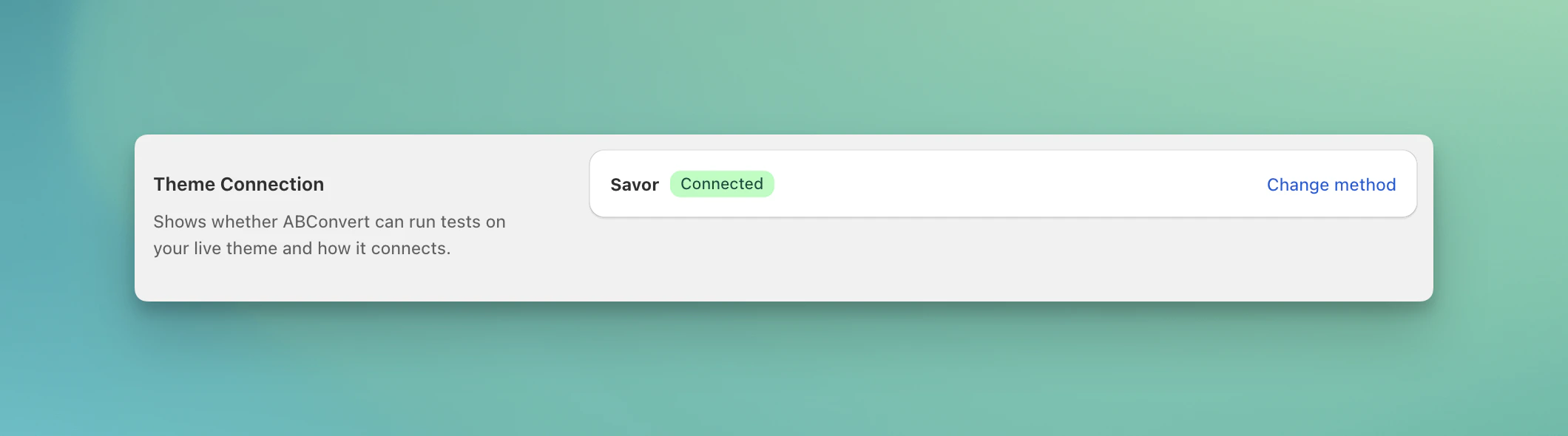
Check status or switch methods here
Connect method 1: Theme embed app (recommended)
- Click Change method
- Choose Use app embed
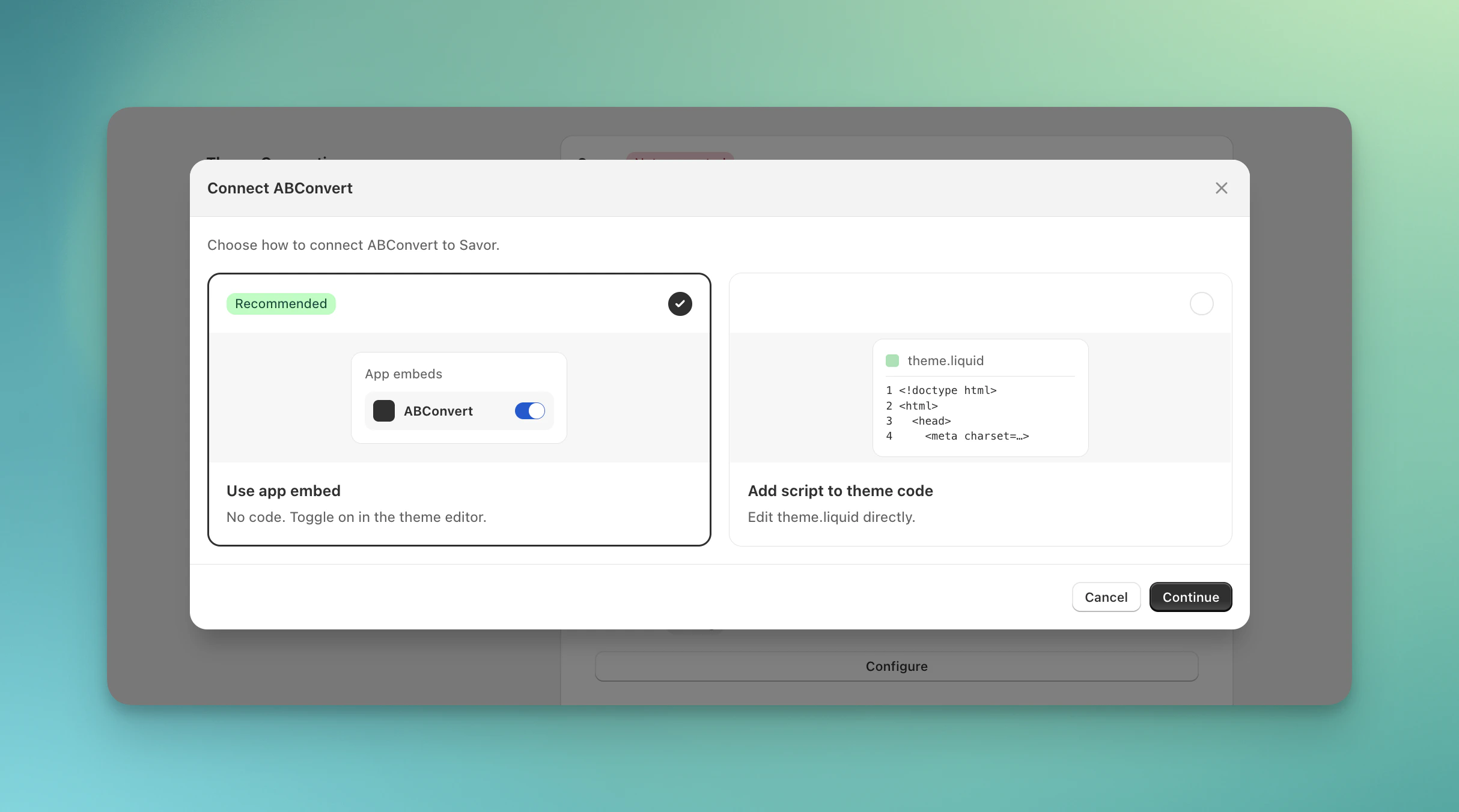
Choose use app embed to connect
- Follow the steps to enable in Shopify theme editor and click Verify status to check
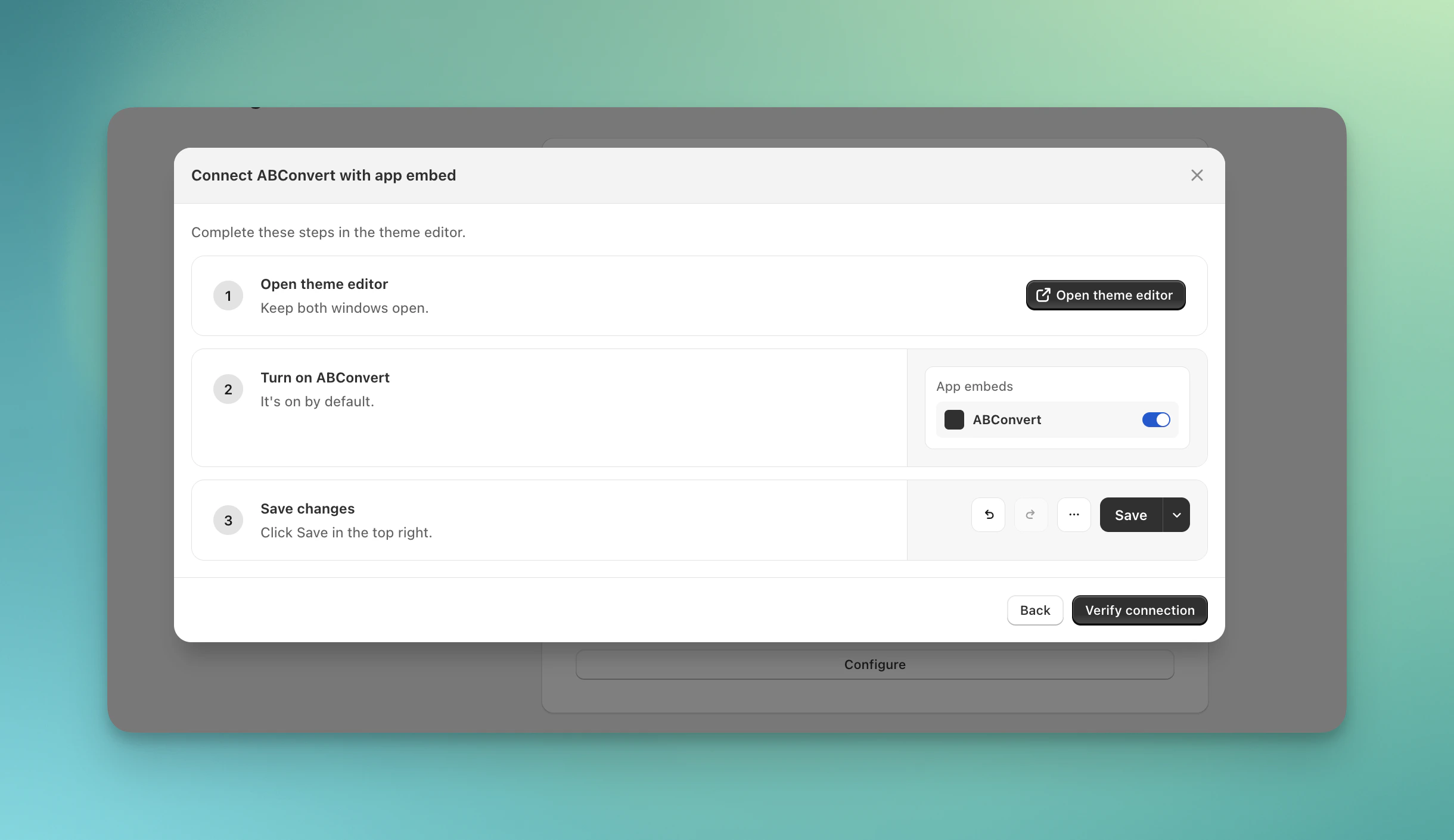
Follow the steps to enable ABConvert app in your theme
Connect method 2: Manual installation (for edge cases)
If your theme has a unique pattern or needs special configuration for better performance, you can install the script manually by adding a code snippet to your theme’stheme.liquid file. This method requires manual management to your theme files, only change to this method when needed.
Steps for manual installation:
- Click Change method
- Choose Add script to theme code
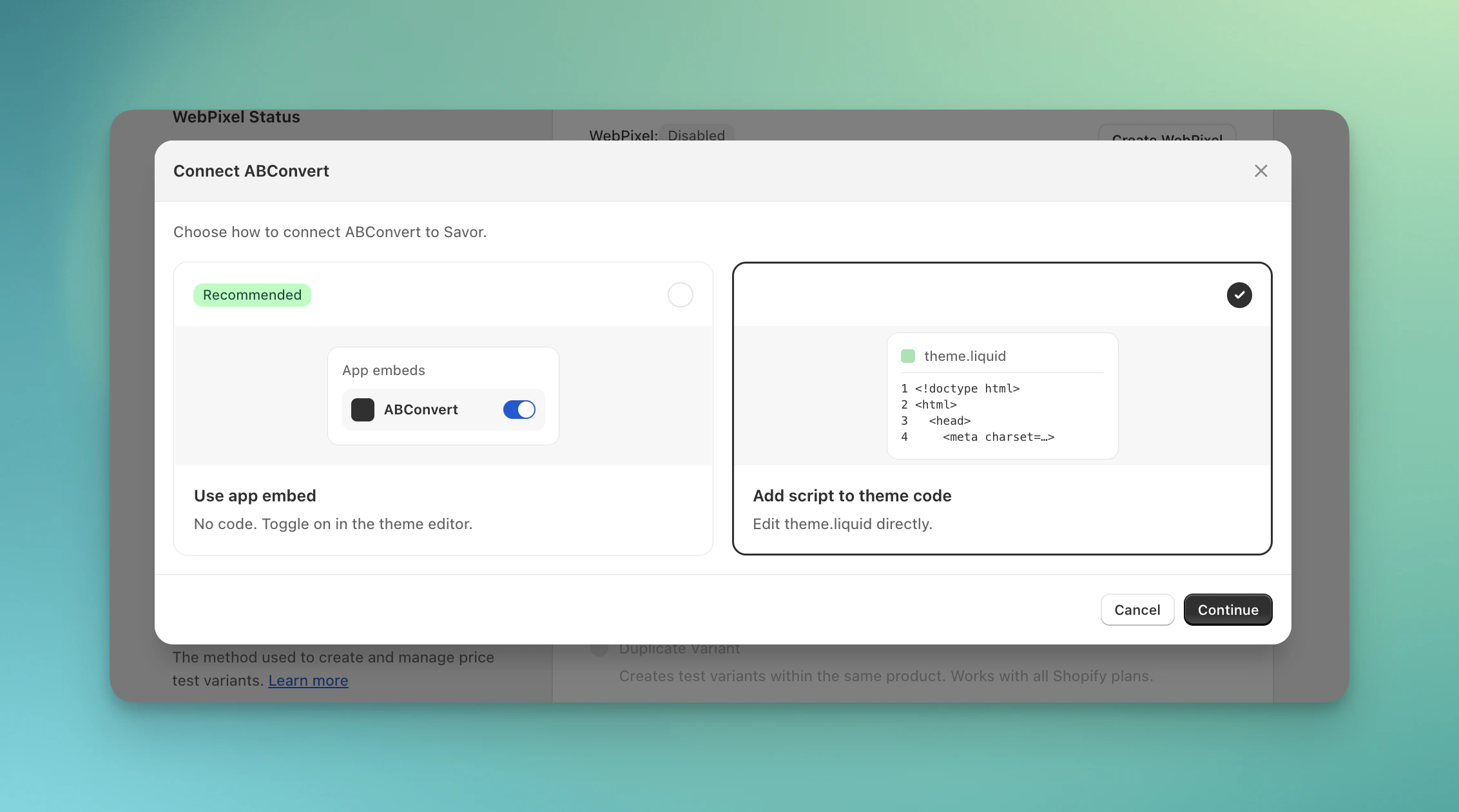
Choose add script to theme code to connect
- Follow the steps to add scripts to your Shopify theme.liquid file
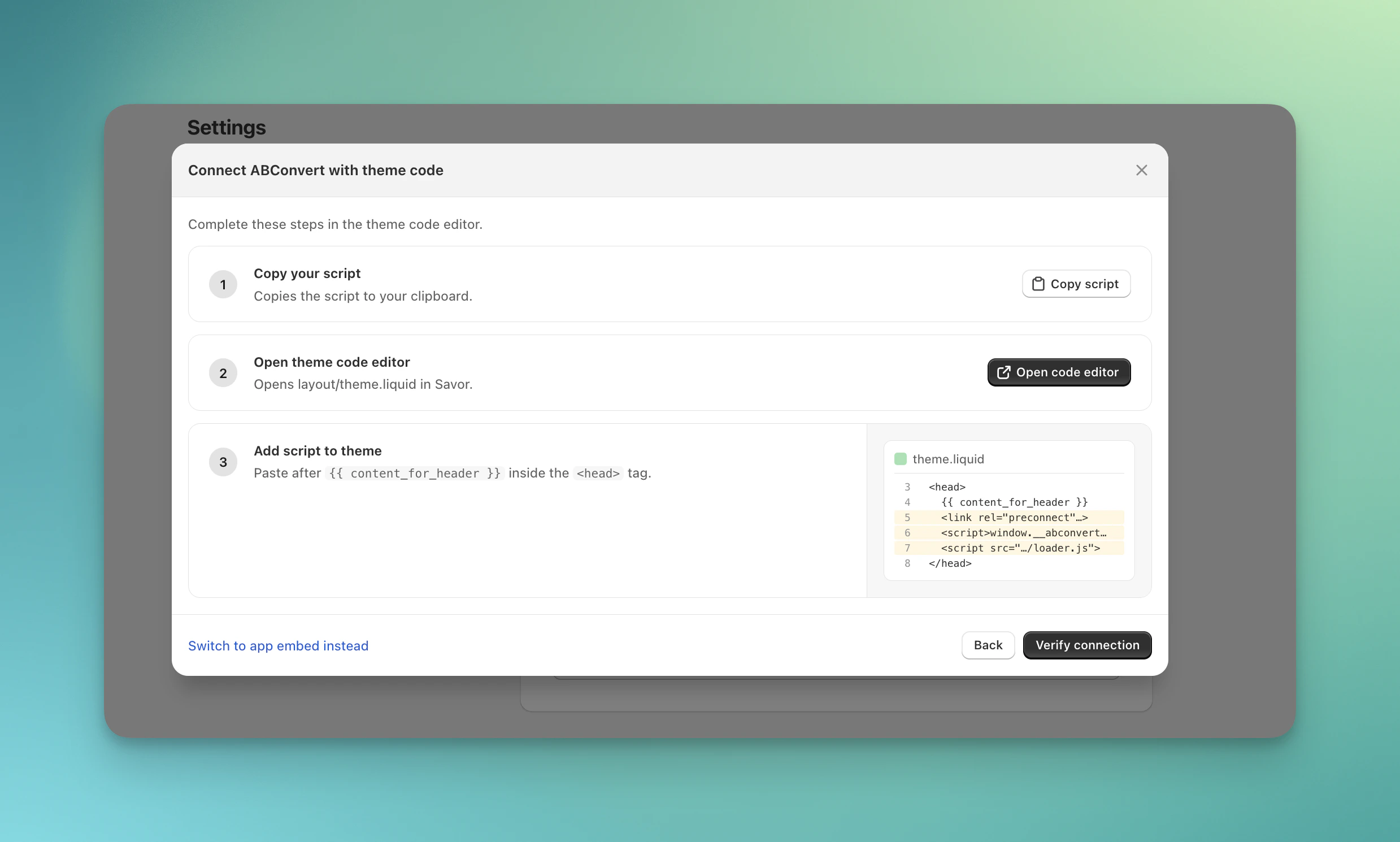
Follow the steps to add script to your theme code
theme.liquid file.
WebPixel status
ABConvert uses a Shopify web pixel to track visitor events (page views, add-to-cart, checkout) with high accuracy. The web pixel is required for accurate analytics. Without it, ABConvert cannot collect and show test data correctly in analytics dashboard. If the web pixel is not enabled, please create Webpixel before start a test. If it becomes misconfigured, use the Reset option to recreate it.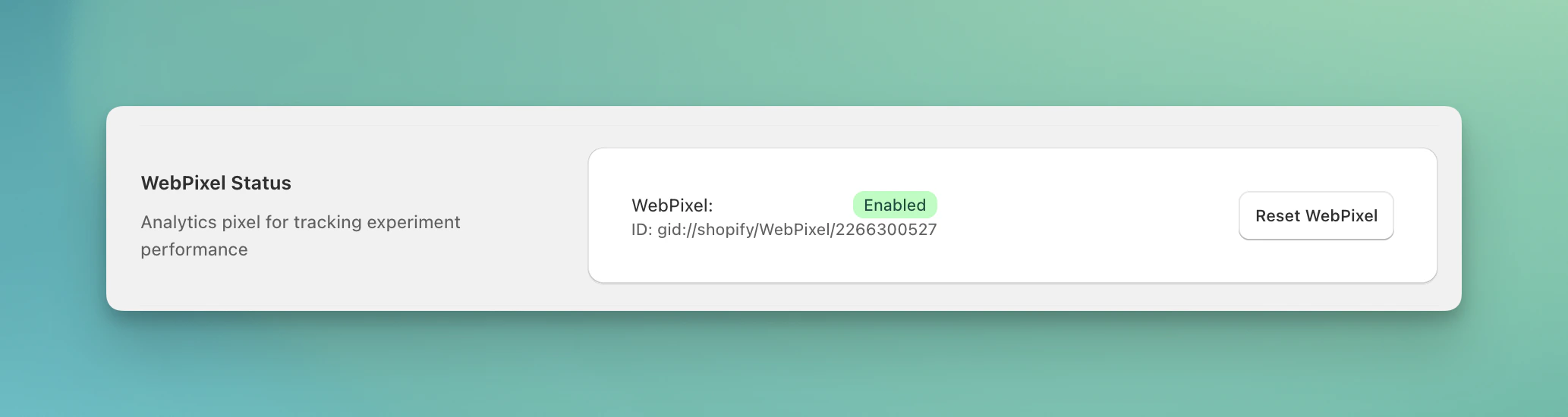
Make sure the WebPixel is enabled
Carrier service
Carrier service configuration is required for shipping rate tests. When a carrier service is registered, ABConvert intercepts Shopify’s shipping rate requests and returns the test rates for visitors in the test group. The Settings page shows whether a carrier service is currently configured. You can delete the carrier service from this page if you no longer need shipping tests.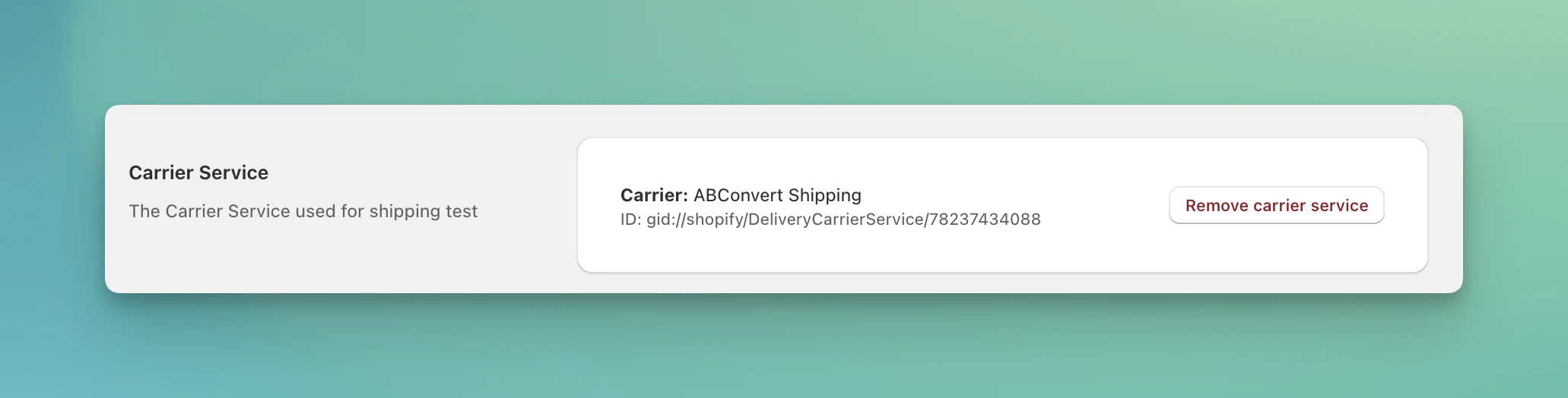
Before running shipping test, check if the carrier service is registered
Order tag
ABConvert can automatically tag orders with test data, making it easy to segment orders by test group in your Shopify admin or in reports exported from ABConvert.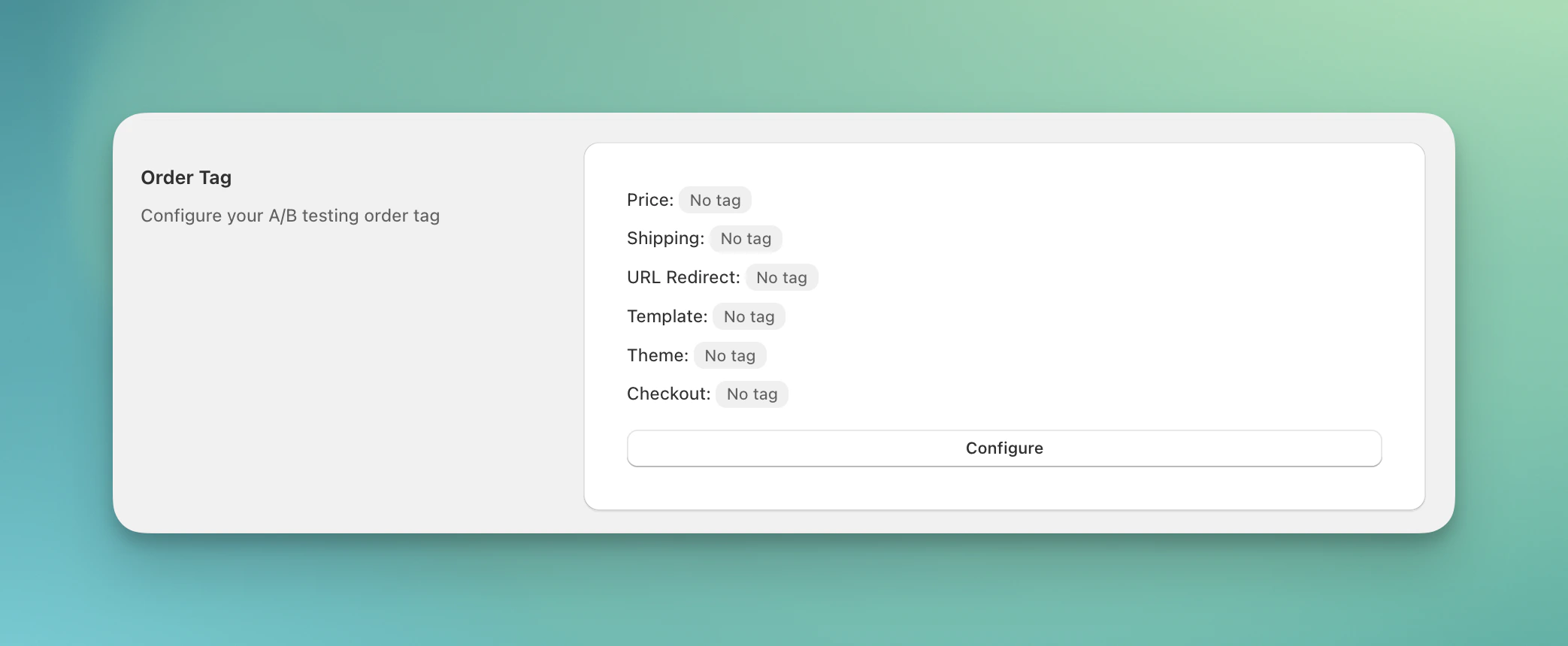
Order tag status
Order tags are available for: Price Test, Shipping Test, URL Redirect Test, Template Test, Theme Test, and Checkout Test.
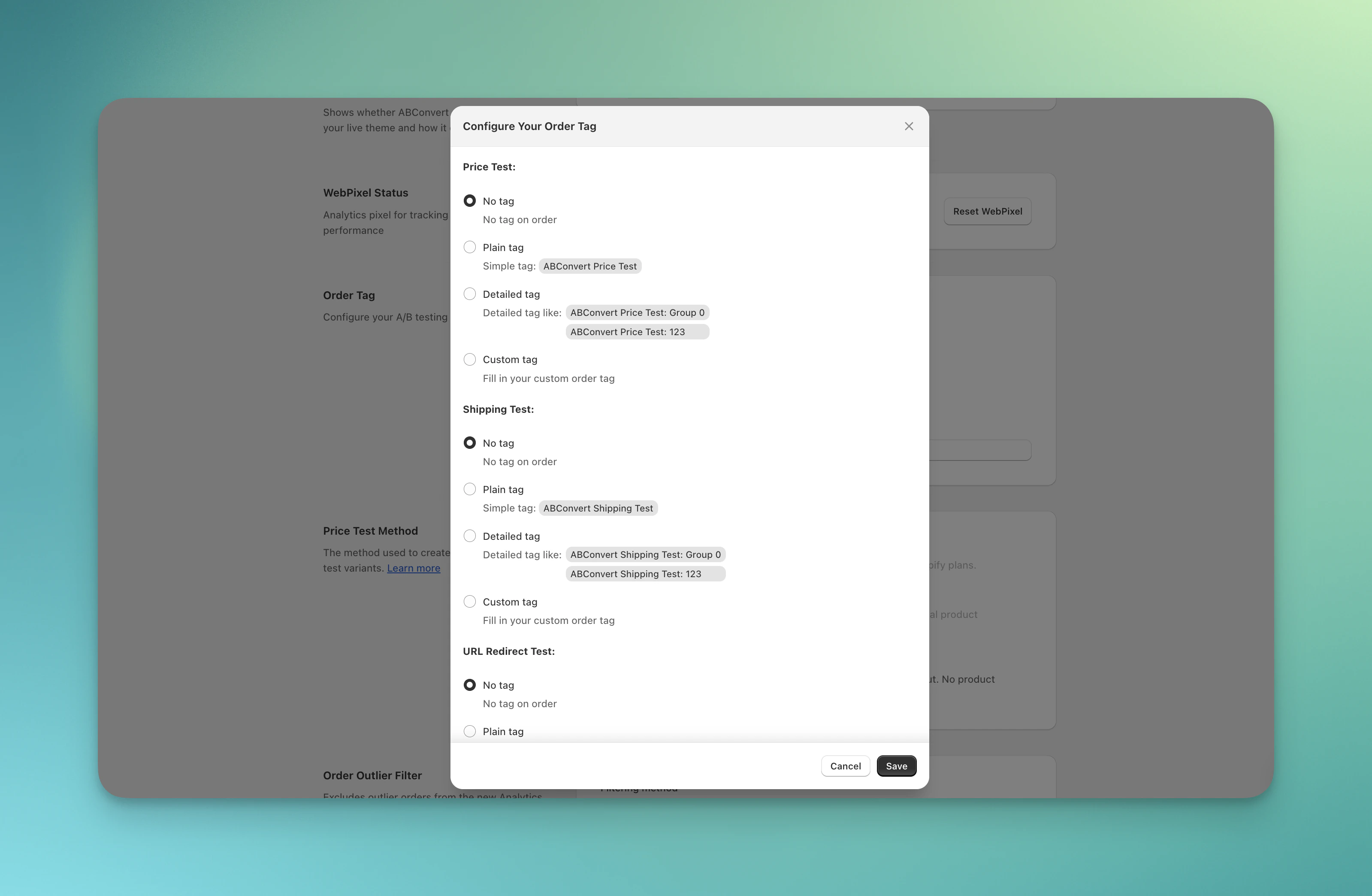
Configure order tags for each test type
Experienced visitors
Tag orders from visitors who experienced a test, so you can compare those visitors in Shopify by test group. For example, filter orders taggedABConvert Experienced: 123 Group 0 and ABConvert Experienced: 123 Group 1 to compare new and returning customers, or lifetime value, between Control and Variant A of test 123.
One setting covers every test type. Each tag names the test ID and the test group number:
Group 0 is Control and Group 1 is Variant A. An order counts the same way it does when you measure results by Visitors who experienced the test, so tagged orders from the last 60 days match that view of your results.
A daily sync adds the tags, so most orders get theirs within a day. Some take longer:
- ABConvert can record a visit up to three days late, so an order’s tag can take a few days.
- An order placed before the visitor experienced the test also counts, so it gets its tag after that later visit.
Price test method
ABConvert evaluates your store during setup and assigns the optimal price test method. Currently, you cannot switch your method on your own, and all stores will be using Shopify function by default.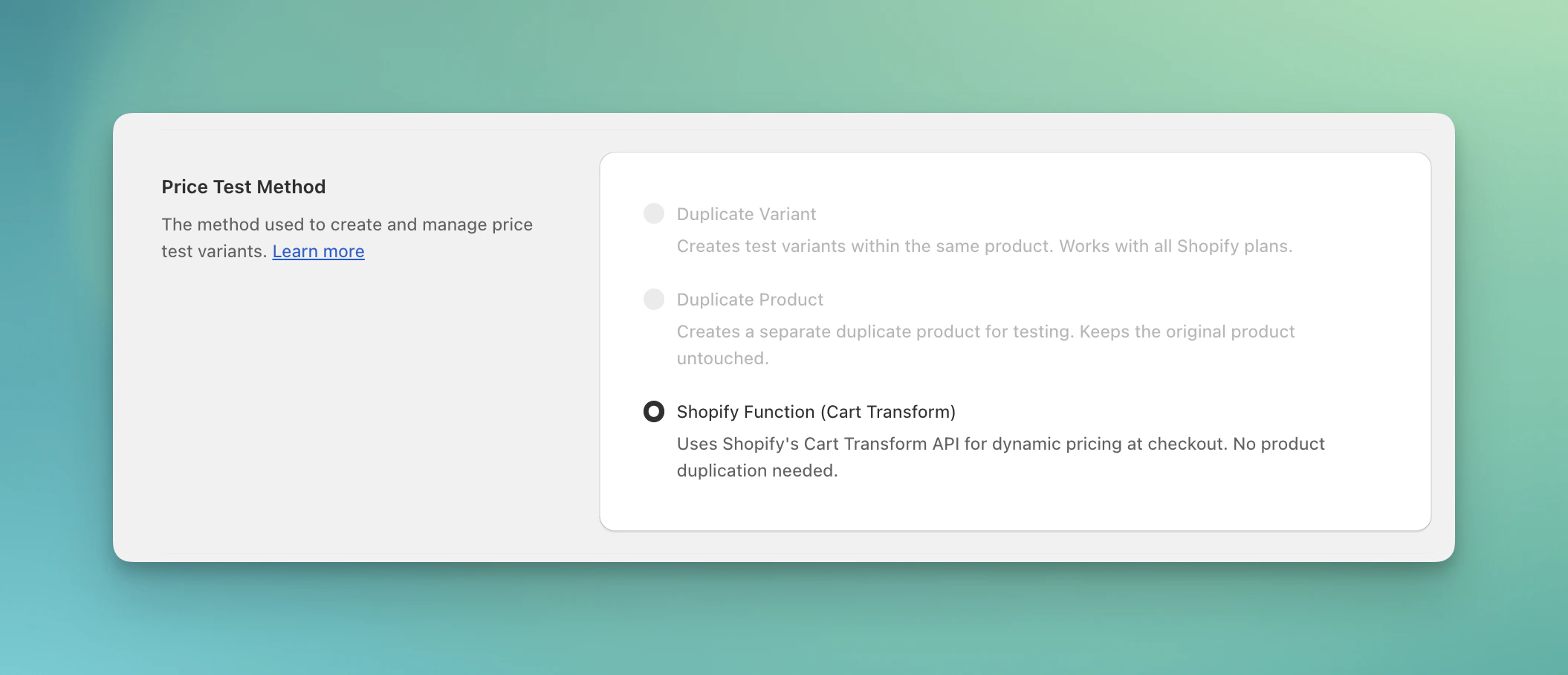
Check your price test method
Order outlier filter
The order outlier filter excludes unusually large orders from your Analytics dashboard, preventing them from skewing your test results.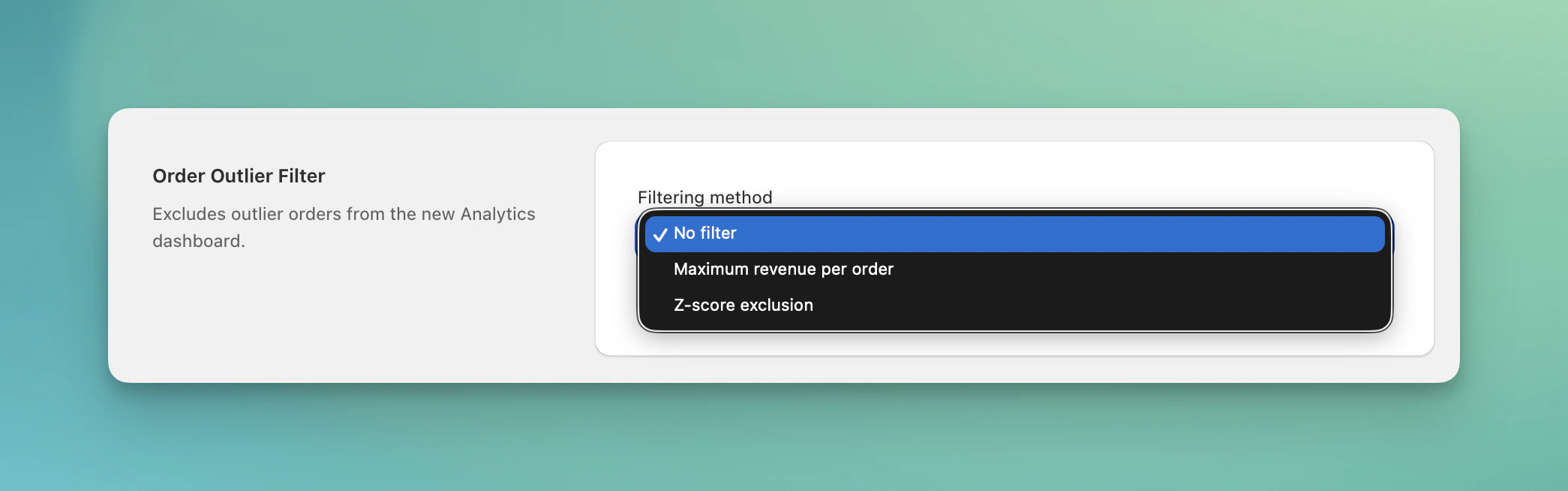
Order outlier filter
Maximum revenue per order
Set a dollar threshold (e.g., $500). Any order above this amount is excluded from analytics. Use this when you know the upper bound of typical orders for your store.Z-score exclusion
Define a threshold between 1 and 5 (typical range: 2 to 4). Higher values keep more orders; lower values exclude more outliers. A threshold of 3 excludes orders more than 3 standard deviations from the mean.COGS settings
ABConvert uses your COGS (cost of goods sold) data to calculate profit metrics in analytics, including Profit per Visitor, Profit Uplift, and other profit-based comparisons.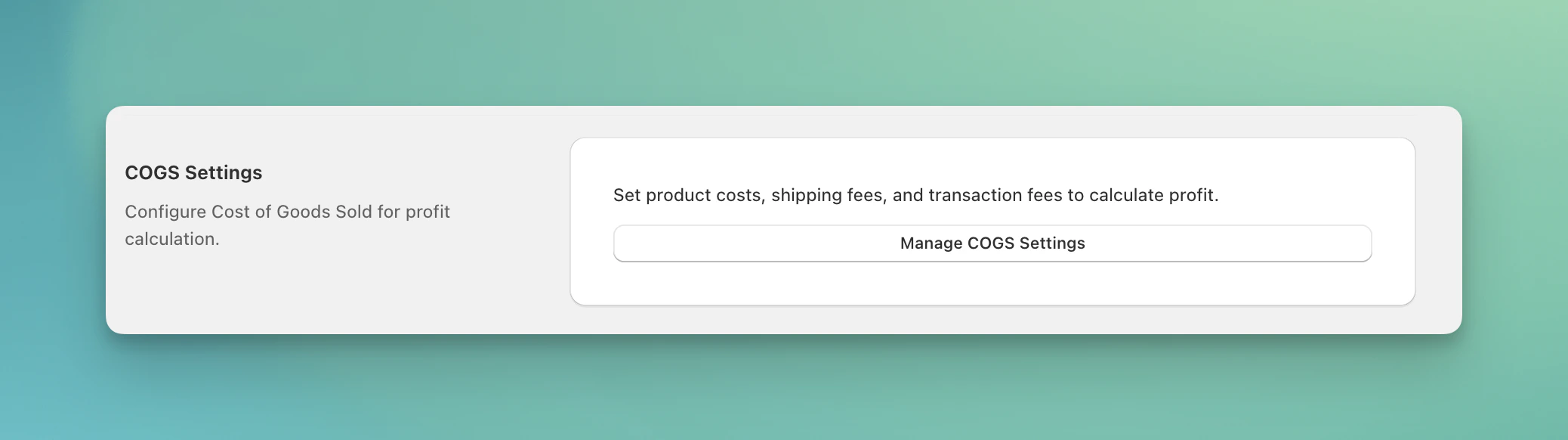
COGS setup
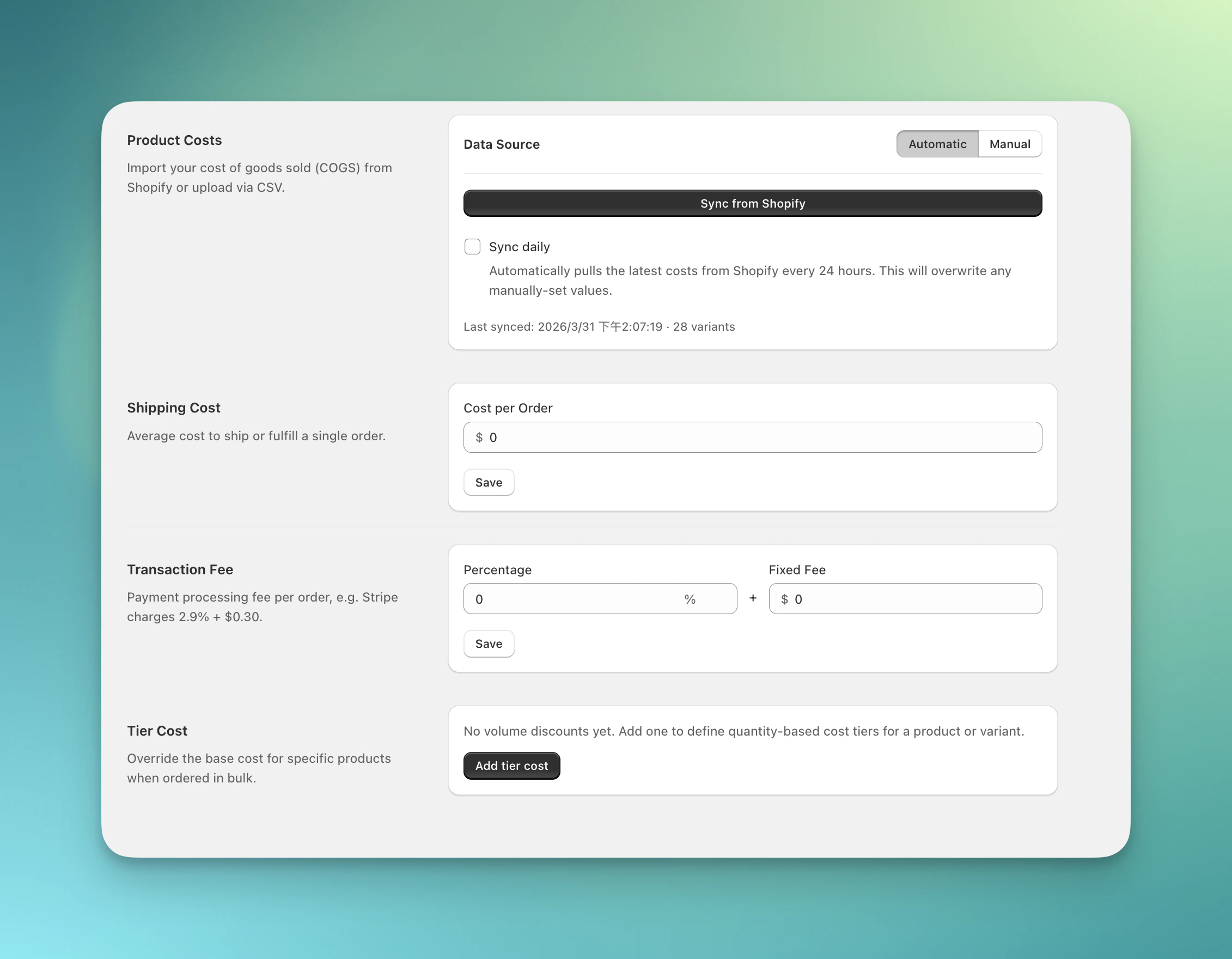
Configure COGS setup
- Automatic mode: Sync product costs directly from Shopify. Choose daily sync frequency if your costs change often.
- Manual mode: Upload a CSV file with product costs for more control
- Set your average shipping or fulfillment cost per order
- Configure payment processing fees as percentage + fixed amount (e.g., 2.9% + $0.30)
- Override base product costs by quantity tier for wholesale or bulk order scenarios
- Define cost breaks at different quantity thresholds
If product costs are missing, ABConvert cannot calculate profit metrics correctly. Profit per Visitor and related metrics may show as zero or inaccurate until COGS data is properly configured.
Product groups
Product groups are reusable sets of products you can apply as a filter on a test’s Analytics dashboard. Build one from a collection, tag, product type, or a hand-picked list. Click Manage Product Groups to create and edit them. See Product Groups for how to use them in analytics.GA4 Measurement ID
Enter your GA4 Measurement ID on the Integrations page, under Google Analytics 4. See GA4 Integration for setup.Mutually exclusive group settings
Control how visitors are assigned when multiple tests run at the same time. See Mutually Exclusive Group for setup.Billing
Manage your subscription and billing. View your current plan, usage, and billing details.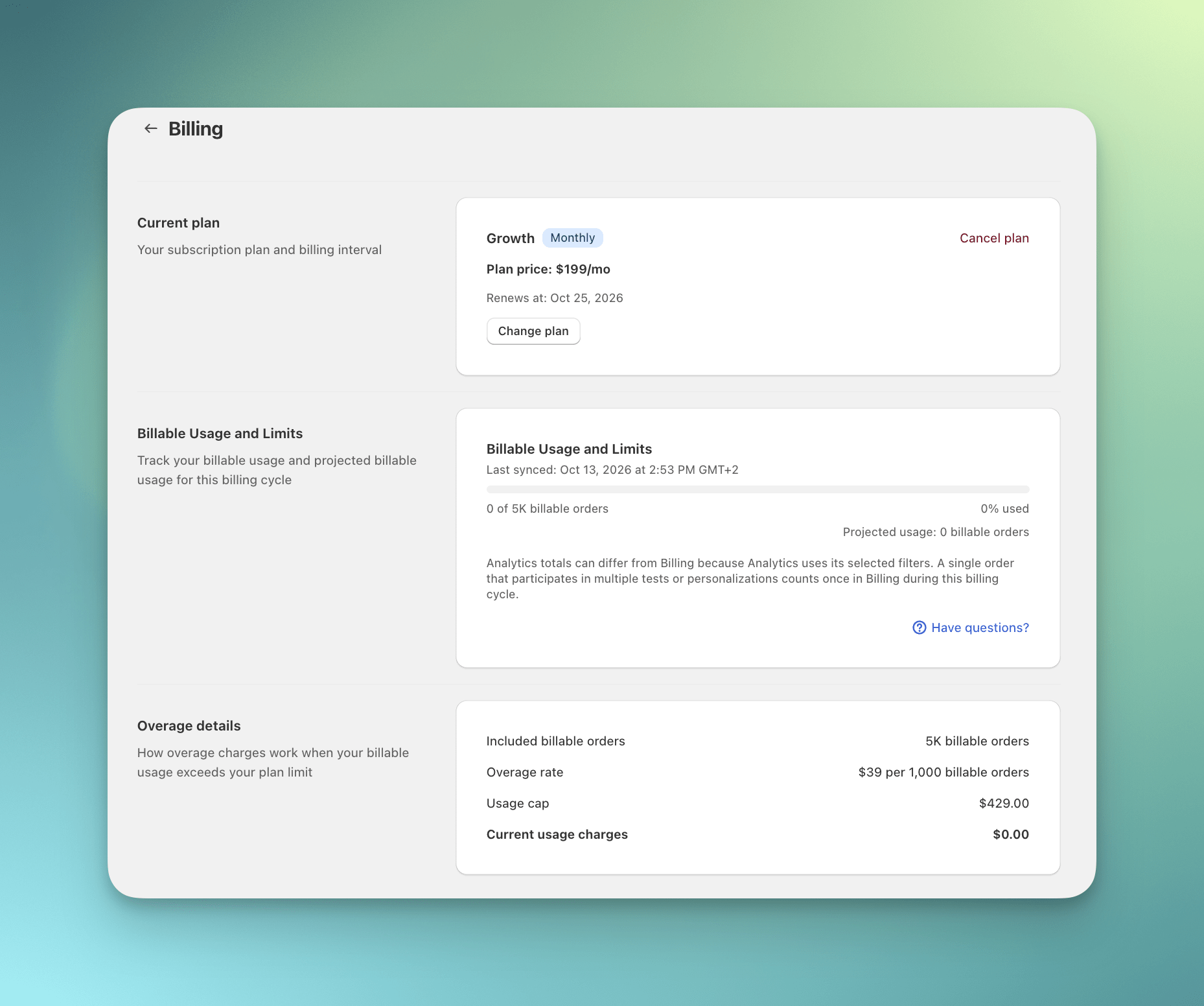
Billing settings
Settings FAQs
Do I need to keep the ABConvert app embed turned on?
Do I need to keep the ABConvert app embed turned on?
Yes. We recommend keeping the ABConvert app embed turned on, even when you are not running tests. It will not affect your store if there are no active tests running, and it keeps your store ready for future tests and helps ABConvert confirm your storefront is connected.
What should I do after changing or publishing a new theme?
What should I do after changing or publishing a new theme?
Confirm the ABConvert app embed is enabled on the theme where your tests should run. Modifying a theme will not affect the embed app, but changing to a new theme will require you to enable the ABConvert app embed in the new theme before starting a test.
What happens if ABConvert is not connected?
What happens if ABConvert is not connected?
You can still view existing test data and historical analytics. However, ABConvert will ask you to reconnect before you can preview, launch, or continue tests that need the storefront script.
What should I do if my test feels slower or I notice flickering?
What should I do if my test feels slower or I notice flickering?
The app embed is recommended for most stores, but some custom themes may perform better with manual installation. If you notice slower loading or flickering, contact ABConvert support and we can help check whether manual setup is a better fit.