

Audience targeting, traffic allocation, mutually exclusive groups, and targeting rules decide who enters. Page targeting decides which pages a template or visual editor test changes.
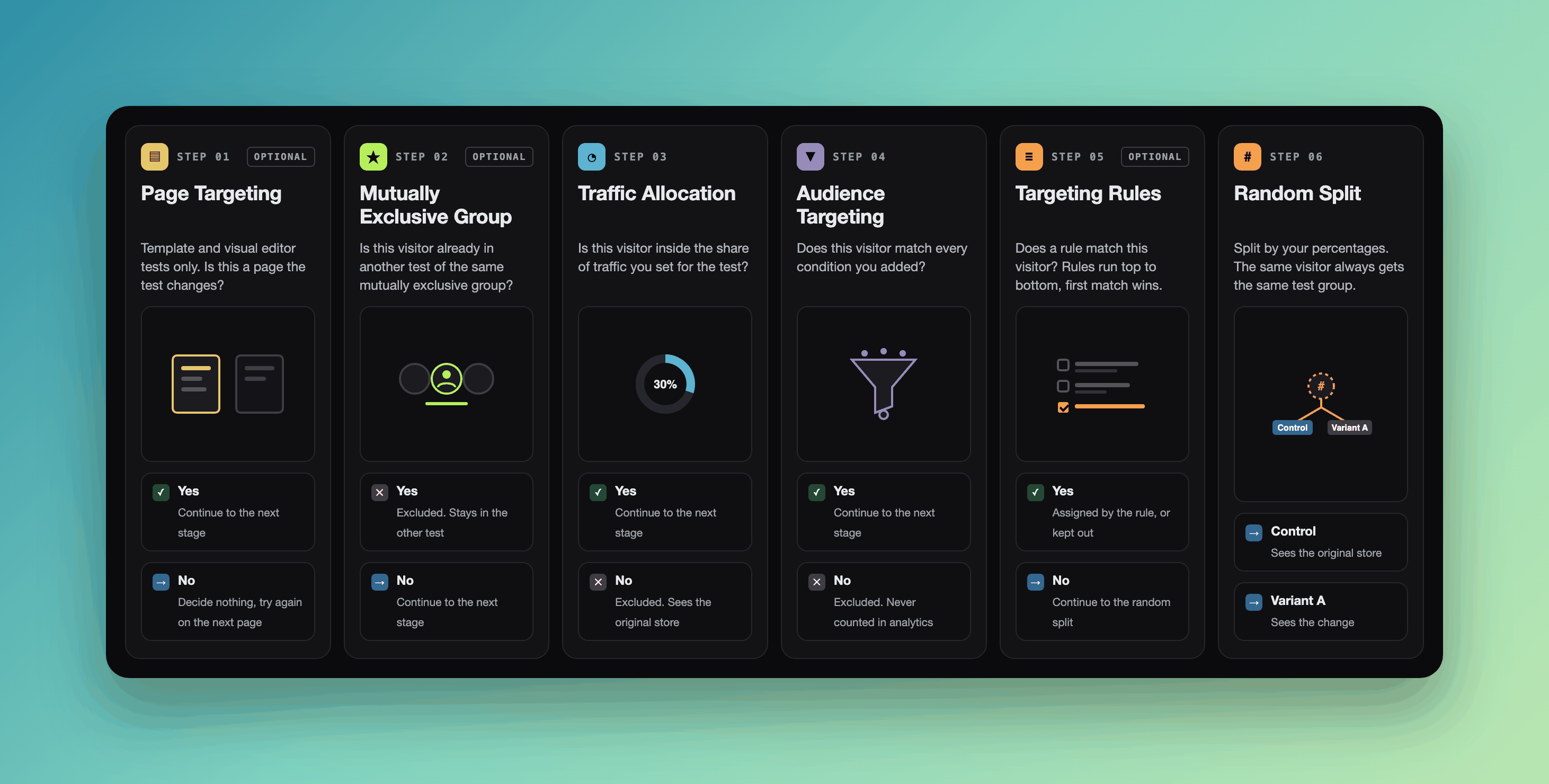
A visitor must pass every stage to be assigned to a test group.
When to use it
- Limit who enters. Only mobile visitors from Canada, or only visitors from a paid campaign. Use audience targeting.
- Change only some pages. Run a template or visual editor test only on the pages you specify. Use page targeting.
- Keep two tests apart. Two tests that touch the same decision should not share visitors. Use a mutually exclusive group.
- Start small. Send 20% of visitors into the test before you send everyone. Use traffic allocation.
When NOT to use it
- Every visitor should enter the test. Leave every option at its default. Each condition you add means fewer visitors, so results take longer to reach statistical significance.
- You want one visitor to see the same test group in several tests. Each test picks test groups on its own. Put the changes in one combined test instead.
How it works
ABConvert decides once, in the visitor’s browser, on the first page where the test could run. ABConvert remembers that decision, so the visitor sees the same test group on every page and whenever they come back in the same browser. The stages run in this order:- Page targeting. Template and visual editor tests only. If this page is not one the test changes, ABConvert decides nothing and tries again on the next page.
- Mutually exclusive group. If this visitor is already in another test of the mutually exclusive group, they never enter this one.
- Traffic allocation. Only the share you set enters. The rest stay out until the test ends.
- Audience targeting. The visitor must match every condition. If they don’t, ABConvert excludes them and never counts them in analytics.
- Targeting rules. Rules run top to bottom and the first match wins.
- Random split. Everyone else is split by your percentages. The same visitor always gets the same test group.
Mutually exclusive group
A mutually exclusive group makes each visitor enter at most one of its tests. Use it when two running tests could influence each other’s results.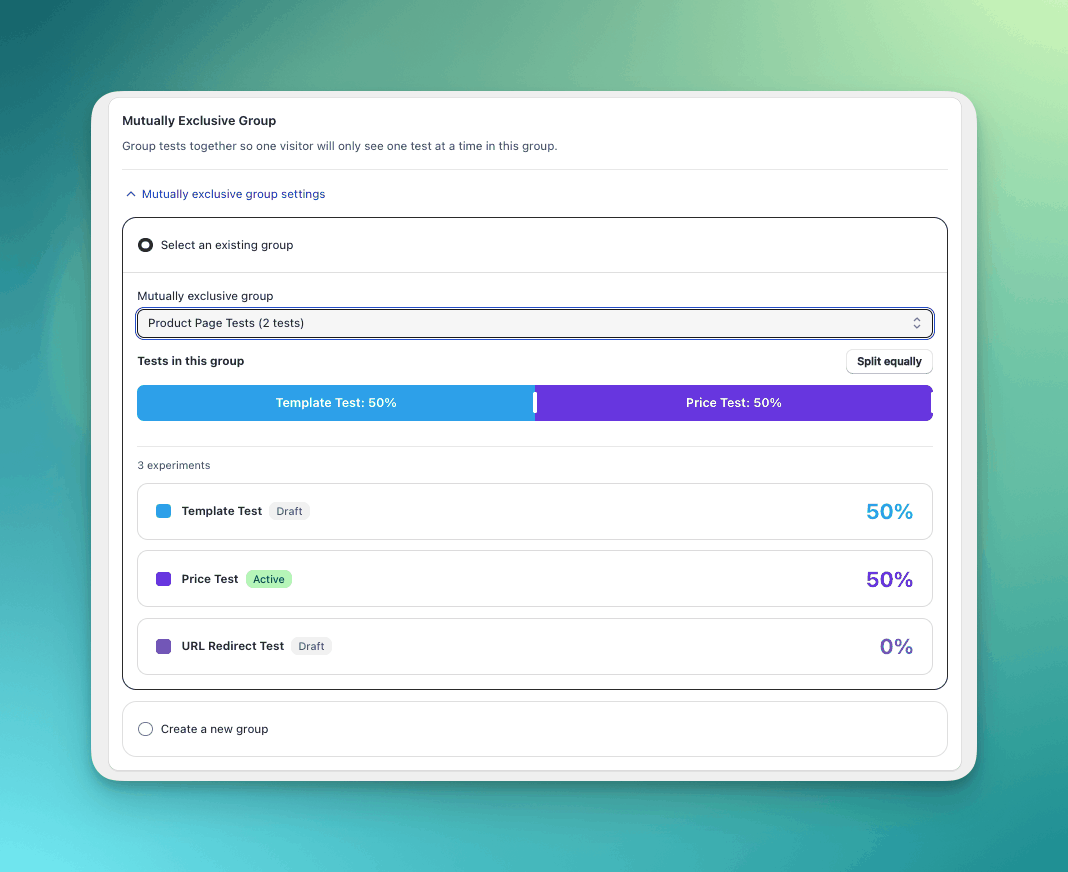
One visitor enters only one test in the same mutually exclusive group.
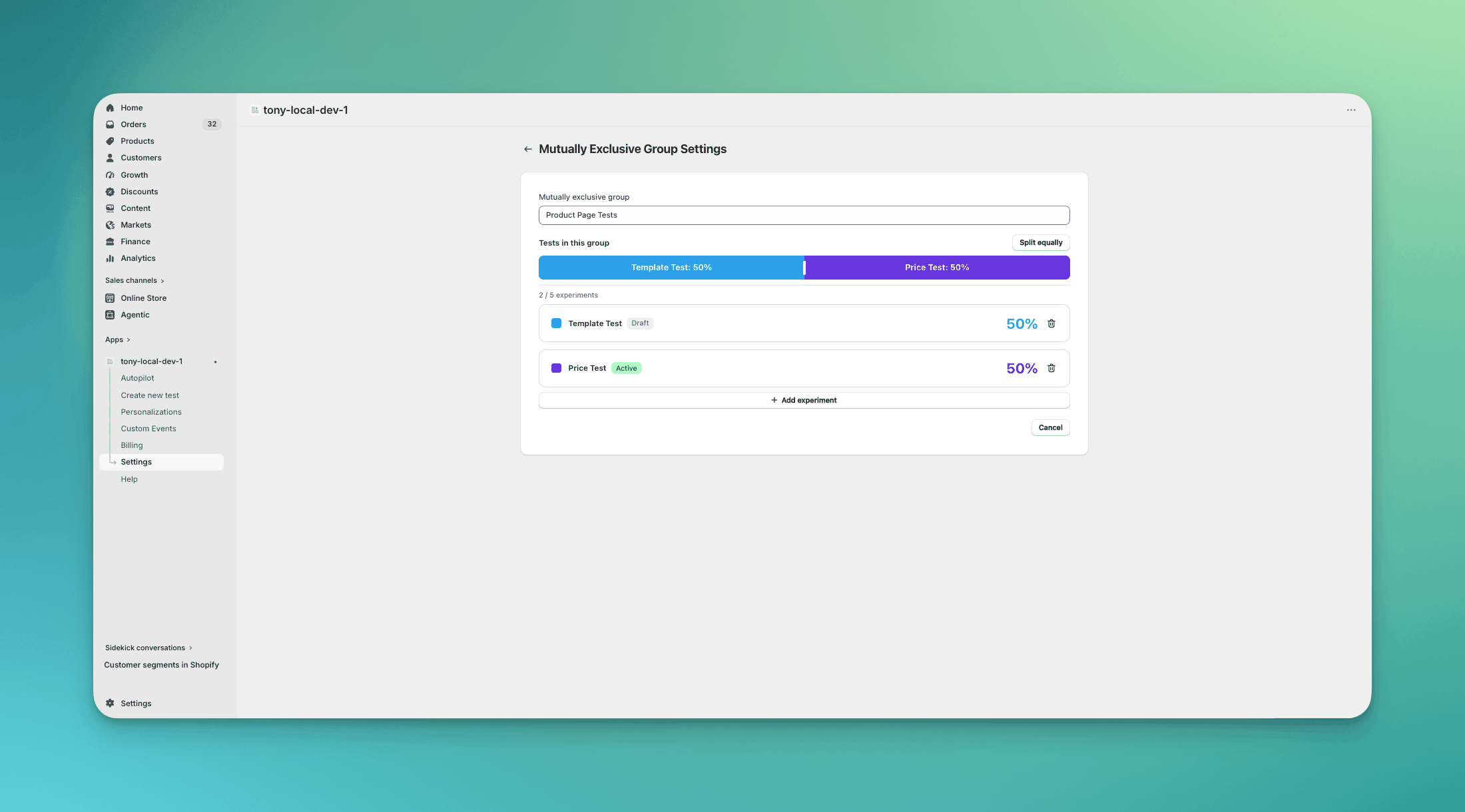
Mutually exclusive group management in Settings.
Traffic allocation
Traffic allocation is the share of visitors that enter the test, from 1% to 100%. The default is 100%.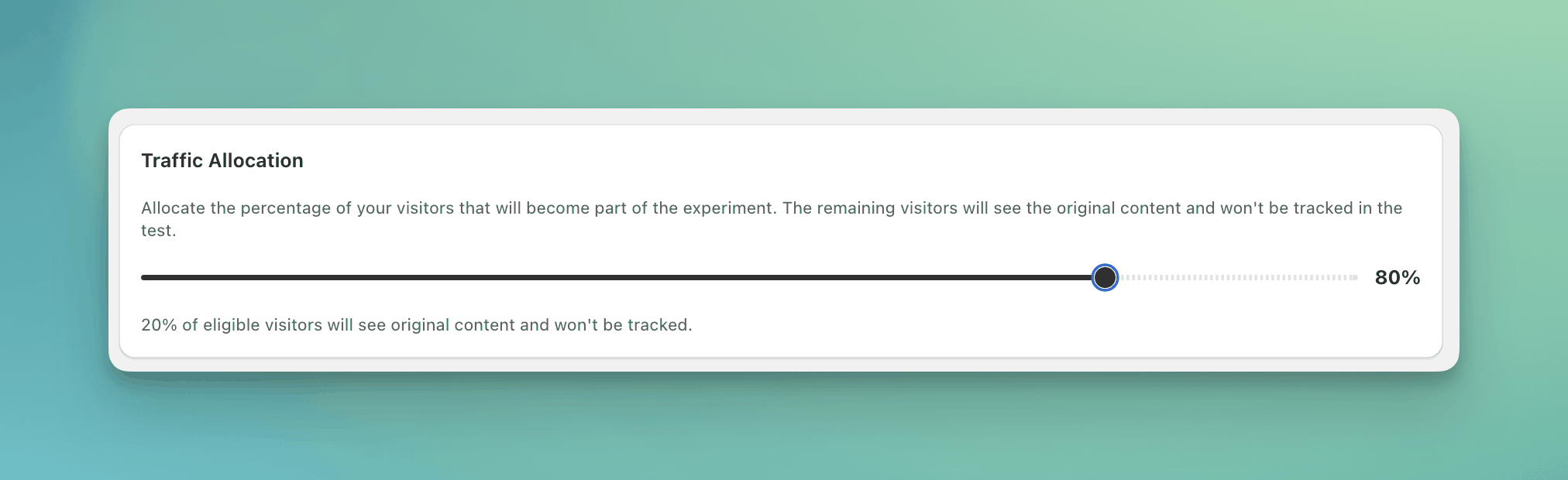
Traffic allocation sets the share of visitors that enter the test.
Audience targeting
Audience targeting narrows who enters: country, device, traffic source, customer details, and more. See Audience targeting for the full list. Every condition is decided once and kept. The one exception is a customer condition, because a visitor can sign in or out later.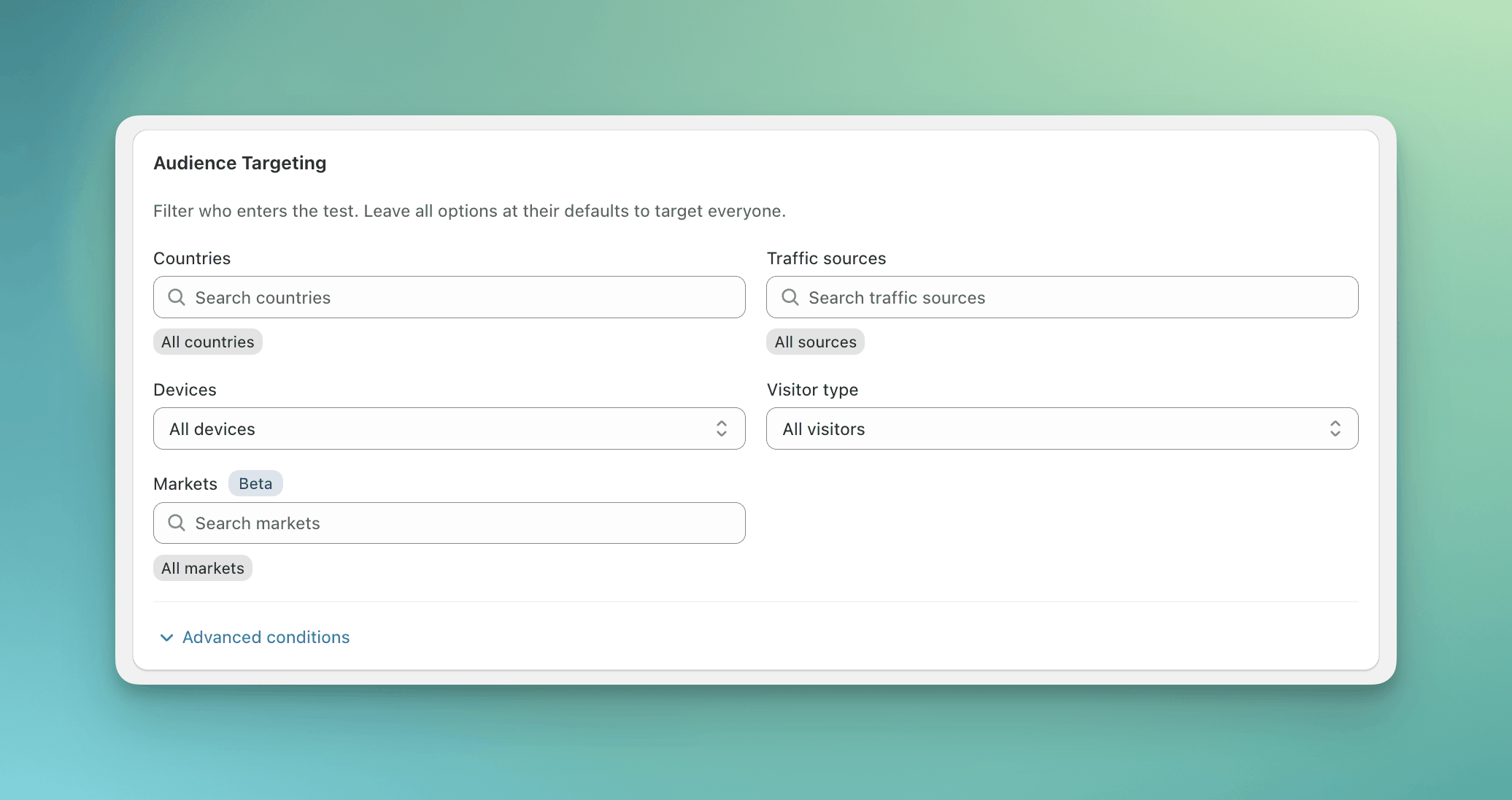
The Audience Targeting card with the basic conditions.
Targeting rules
Targeting rules override the random split for visitors who match. Use them to send the visitors who match to one test group, or to keep them out. Each rule has one condition and one action: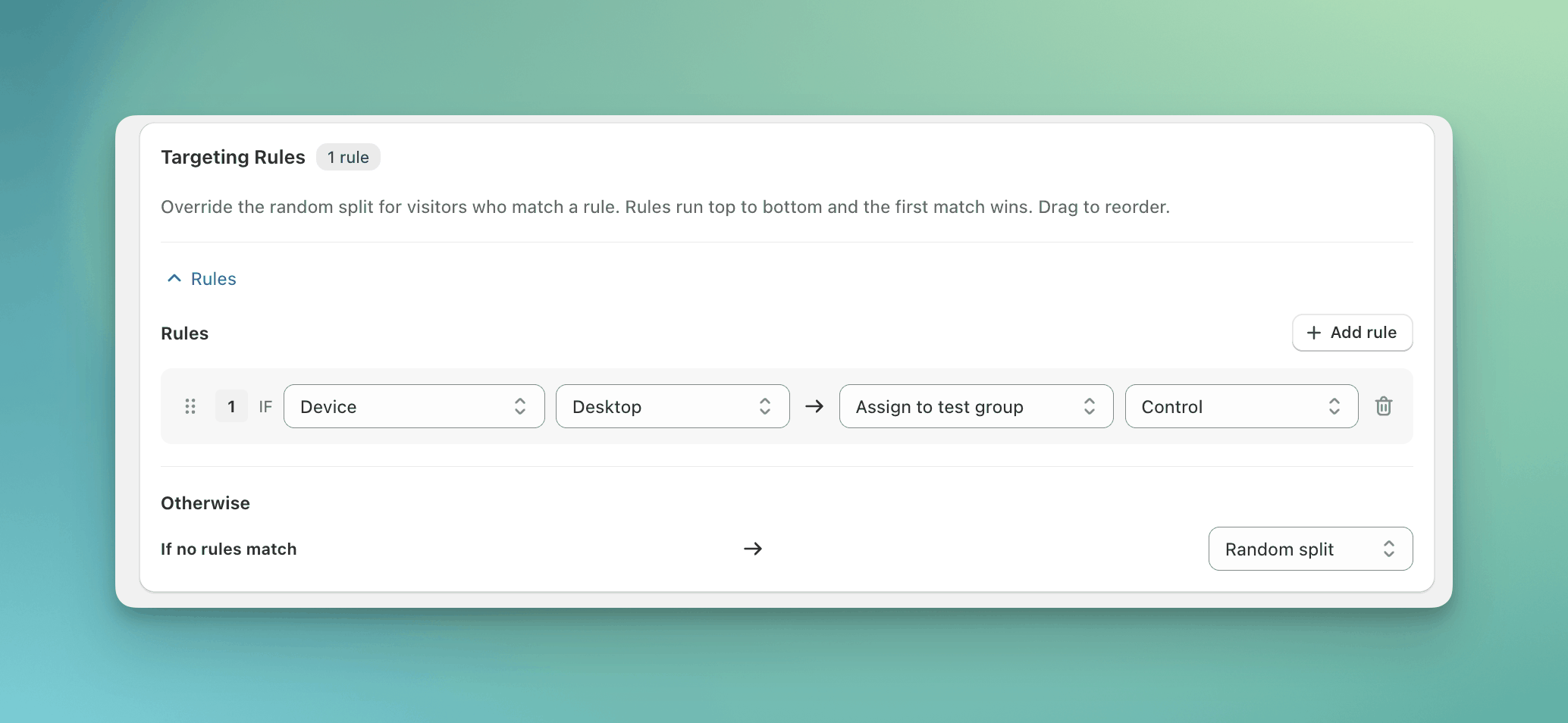
A targeting rule that sends desktop visitors to Control.
Random split
Every visitor who reaches this stage is split across the test groups by the percentages you set for each test group. The same visitor always gets the same test group in the same browser.Common mistakes
- Adding conditions the decision does not need. Each condition shrinks the audience, and a smaller audience takes longer to reach statistical significance.
- Running two related tests without a mutually exclusive group. A visitor in both sees both changes, and neither result is clean.
FAQ
Can I change targeting while a test is running?
Can I change targeting while a test is running?
You can change the split between test groups. You cannot change audience targeting, targeting rules, traffic allocation, or page targeting. End the test and duplicate it with the new targeting.A running personalization is different: you can change its audience at any time.
Why is the split not exactly 50/50?
Why is the split not exactly 50/50?
With few visitors, an uneven split is normal at first. Conditions shrink the pool, and a short run adds noise. As visitors accumulate the split settles.
What happens to visitors who don't match?
What happens to visitors who don't match?
They see the original store. They are not in any test group and do not appear in the test’s analytics.
Does a visitor get the same test group in every test?
Does a visitor get the same test group in every test?
No. Each test picks test groups on its own. The same visitor can be in Control in one test and Variant A in another. Use a mutually exclusive group to keep a visitor in only one of a set of tests, or a combined test to test the changes together.
Does targeting apply to personalizations?
Does targeting apply to personalizations?
Yes. A personalization uses the same audience targeting. It has no random split and no targeting rules. A personalization rolled out from a test also keeps the test’s page targeting.