

When to use custom event Analytics
Choose the view that matches what you want to learn:When not to use custom event Analytics
Do not use custom event results by themselves to declare a winner. They are descriptive and do not include statistical significance. Do not use a visitor filter to claim that triggering an event caused another outcome.How custom event Analytics works
ABConvert attributes accepted events to the visitor’s test group, then deduplicates them by visitor or session for the selected Analytics view. Your date range, Measured by setting, and filters define the current Analytics population.Before an event appears in Analytics
The event must meet all of these conditions:- It was created before the test started.
- It remains Active until the test ends.
1. Filter Analytics by whether visitors triggered an event
Use a custom event filter to compare the behavior of visitors who did or did not trigger one event during the selected analysis period.- Open Filters in the Analytics toolbar.
- Find Custom event.
- Choose Did trigger or Did not trigger.
- Select one custom event.
- Apply the filter.
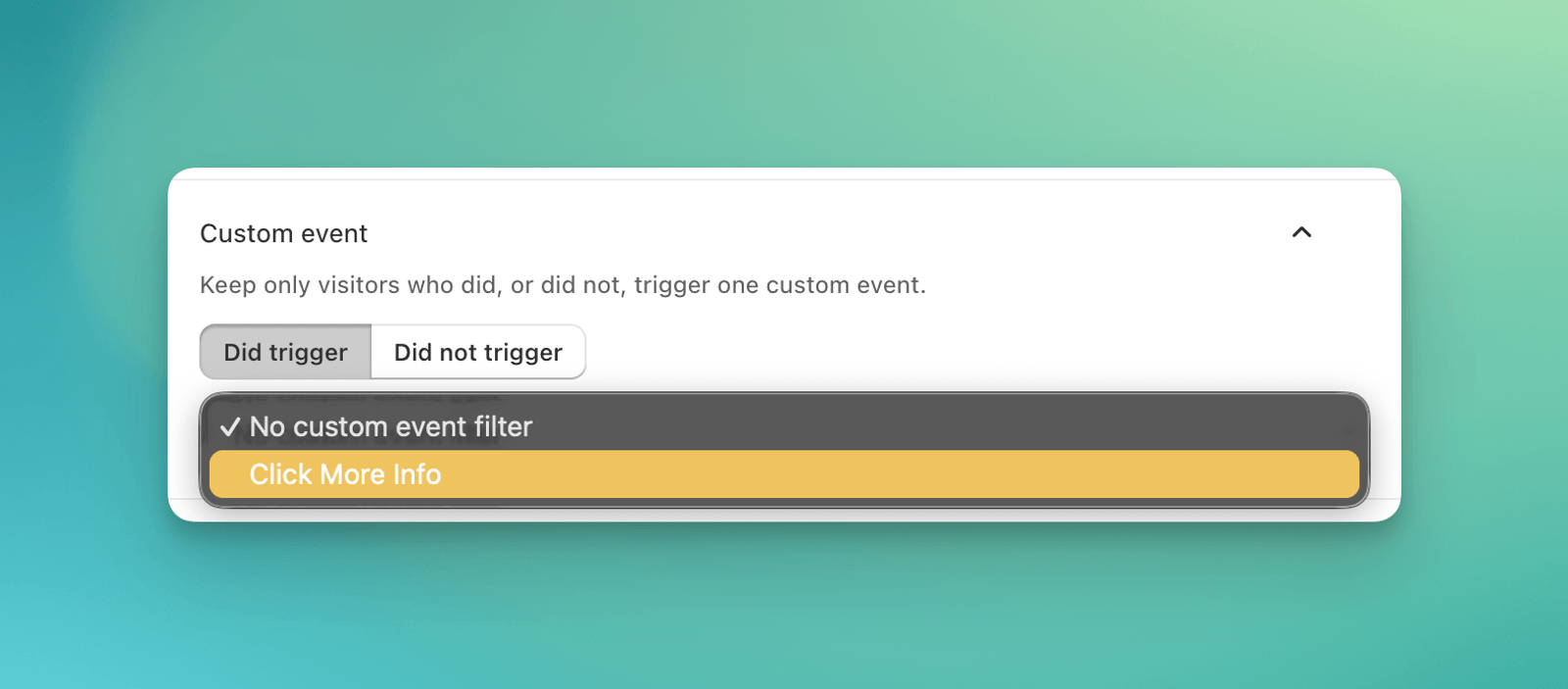
Filter Analytics by visitors who did or did not trigger an event
How the filter is calculated
The filter creates a visitor cohort from the current analysis period:- Did trigger includes each visitor who triggered the event at least once.
- Did not trigger includes each eligible visitor who did not trigger the event.
Treat this as exploratory segmentation. Triggering an event happens after assignment and can reflect visitor intent, so a filtered comparison does not prove that the event caused another result.
2. Add a custom event to the funnel
Use custom funnel steps to explore your planned customer journey and compare conversion rates at each step across test groups. For example, add a size-guide click between Product Viewed and Added to Cart to see how test groups compare at that point in the journey.- Open the Funnel tab in Performance.
- Click Customize funnel.
- Click Add stage, then select the custom event under Custom.
- Reorder the selected steps if needed.
- Click Apply.
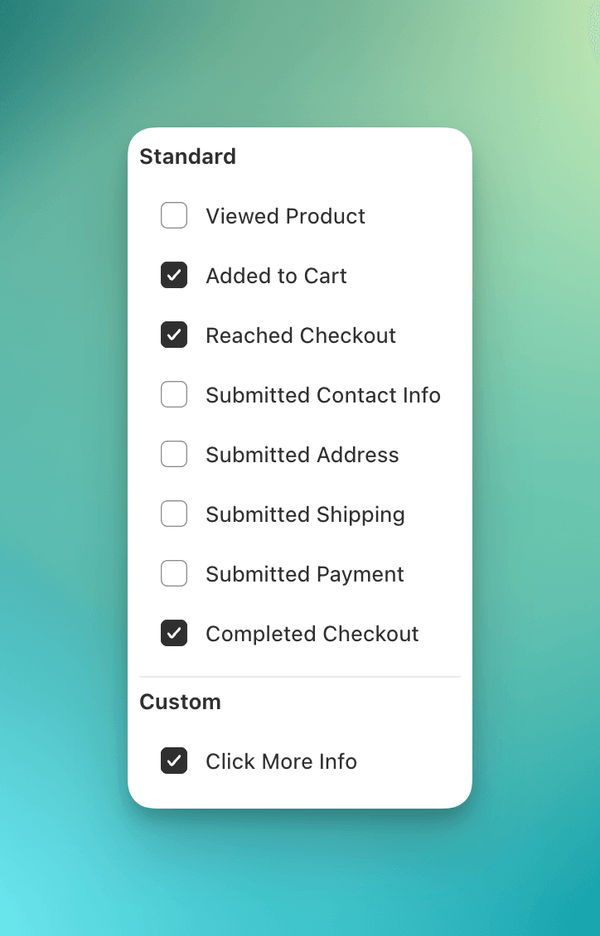
Select a custom event from the available funnel steps
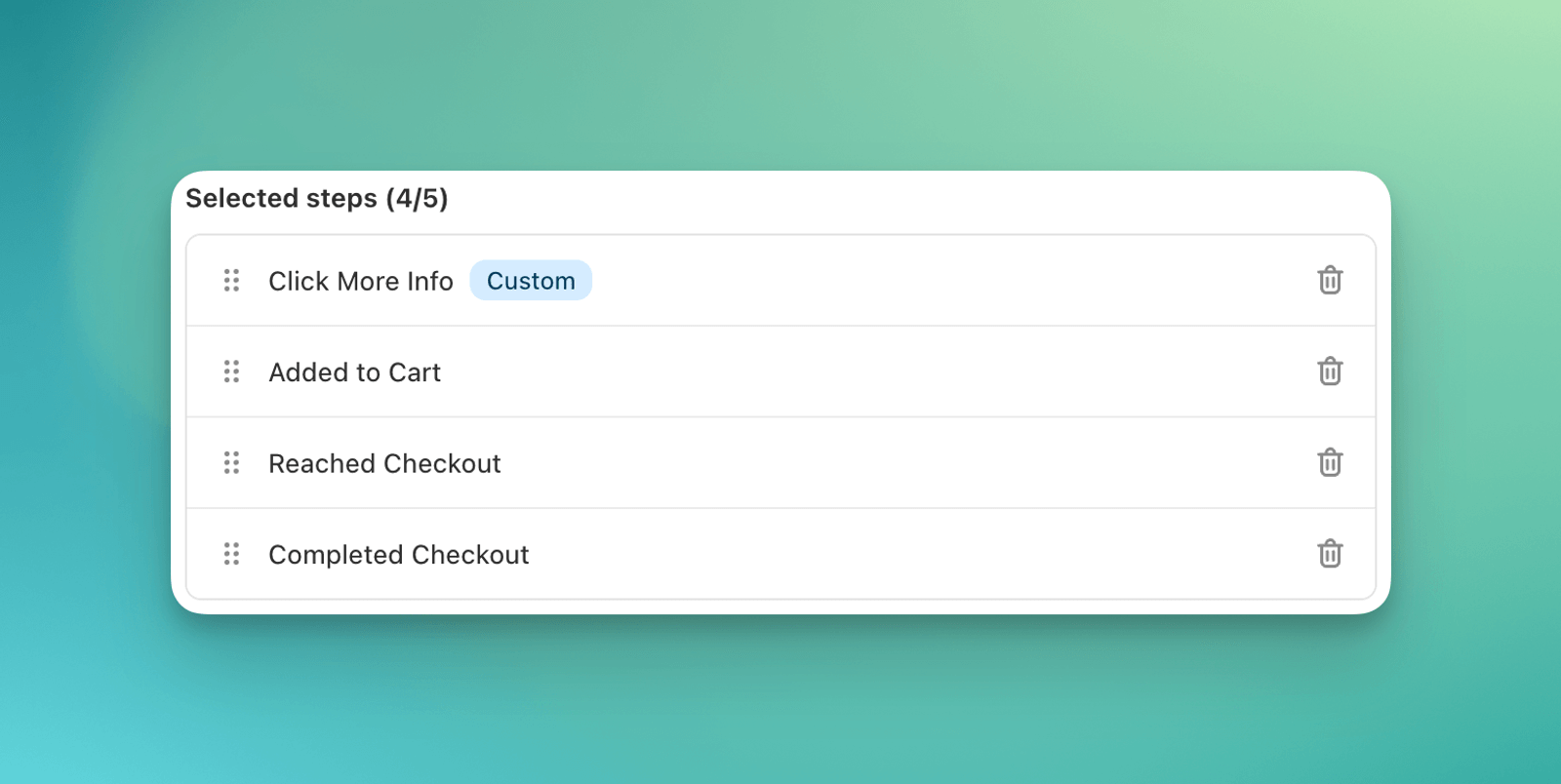
Place the custom event among the selected funnel steps
3. Compare visitor trigger rates by test group
The Custom Events section shows how many unique visitors triggered each selected event in Control and every other test group.- Open the test’s Analytics dashboard.
- In the Custom Events section, open Manage custom metrics.
- Select one or more eligible events.
- Close the menu. Your selection is saved automatically.
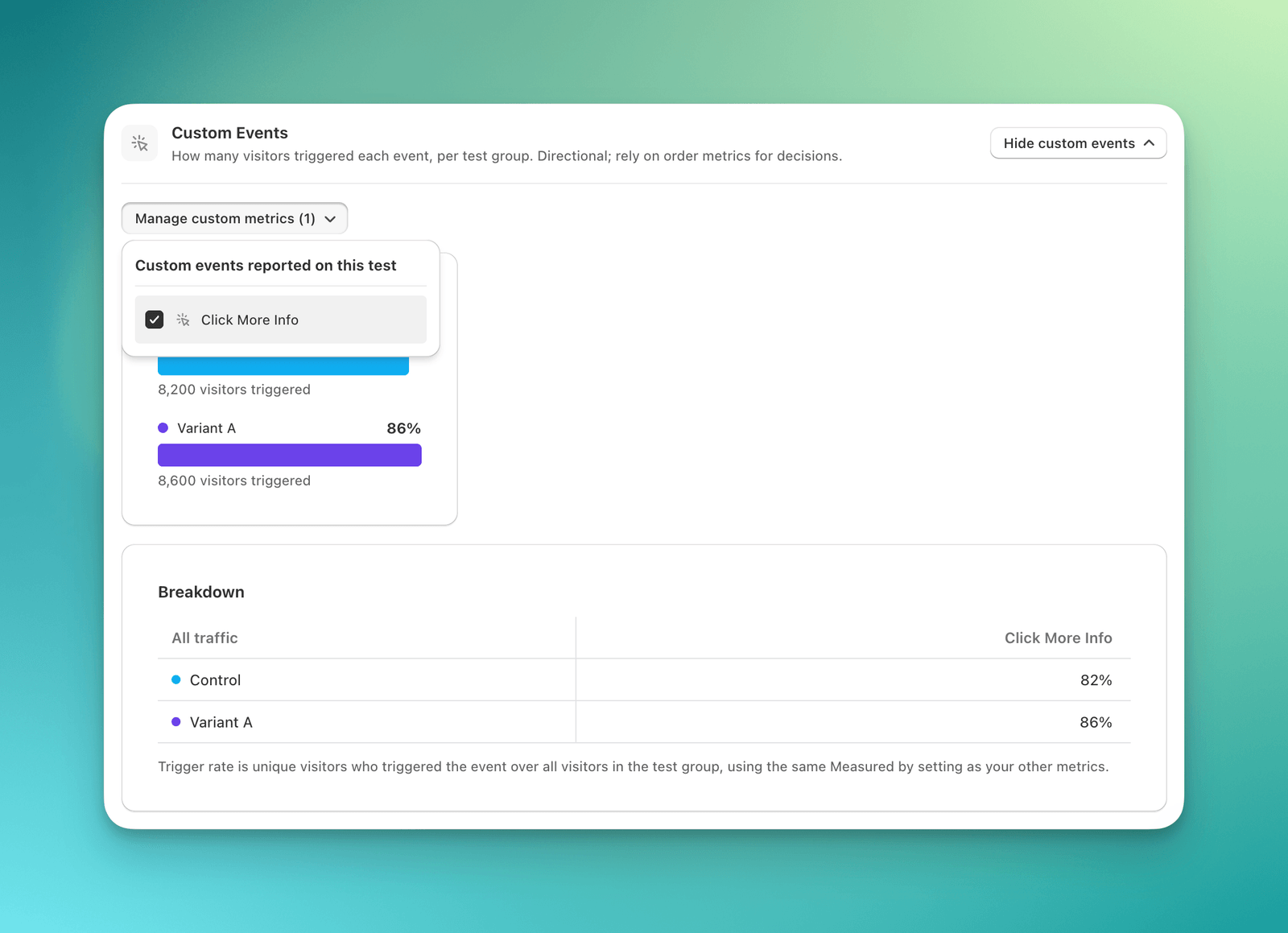
Custom event cards and breakdown rates by test group
How visitor trigger rate is calculated
For each event and test group:Understand the three counts
The event library and Analytics can show different numbers because they answer different questions:
For Page view events, Analytics checks recorded page URLs against the event’s saved URL rules. The library activity columns help you verify tracking. They are not used to calculate Analytics results.
Common mistakes
- Reading funnel steps as sequential conversion. Every step is independent and divides by all sessions in the same test group.
- Comparing custom event metrics under a product group. Set Product group to All products because custom events are not linked to individual products.
- Treating a filtered cohort as a causal result. The filter does not require the trigger to happen before the other activity.
- Expecting repeat triggers to increase visitor or session counts. Analytics deduplicates by visitor or session for the relevant view.
- Using a custom event as proof of a winner. Custom event cards have no statistical significance calculation.
- Comparing Triggers 24h with test results. The library count is a raw operational signal with a different time window and population.
FAQ
Why is my custom event missing from Analytics?
Why is my custom event missing from Analytics?
Check that the event was created before the test started and stayed active until the test ended. For a running test, keep the event active. An event archived after a test ended remains eligible for that test.
Does a custom funnel step measure conversion from the step above it?
Does a custom funnel step measure conversion from the step above it?
No. It divides sessions that contained that event by all sessions in the same test group. The selected order changes the display only.
Can I filter by two custom events at once?
Can I filter by two custom events at once?
No. The custom event filter supports one event at a time.
Why is Did trigger showing 100% for the selected event?
Why is Did trigger showing 100% for the selected event?
The filter keeps only visitors who triggered that event during the selected period. Its own unique visitor numerator and visitor denominator therefore describe the same cohort.