

Before you start
Set these up in Recharge first:- Create your plans. See Configuring product subscription plans.
- Add the widget to your product page. See Subscription Widget. Add it to every product template the test can show, because a template without the widget shows no plans.
Configure Recharge and ABConvert
Have your Recharge store owner prepare an Admin API token for the Shopify store you use with ABConvert. The token lets ABConvert read plans and subscription activity. Its separate client secret lets ABConvert check that subscription updates came from Recharge.Prepare Recharge credentials
read_store in its current scope reference.Copy the API key and the API Client Secret from that token’s details. They are different values. ABConvert uses the secret to verify incoming Recharge webhooks. Only the store owner can access API tokens by default; ask the owner for access if the page is unavailable.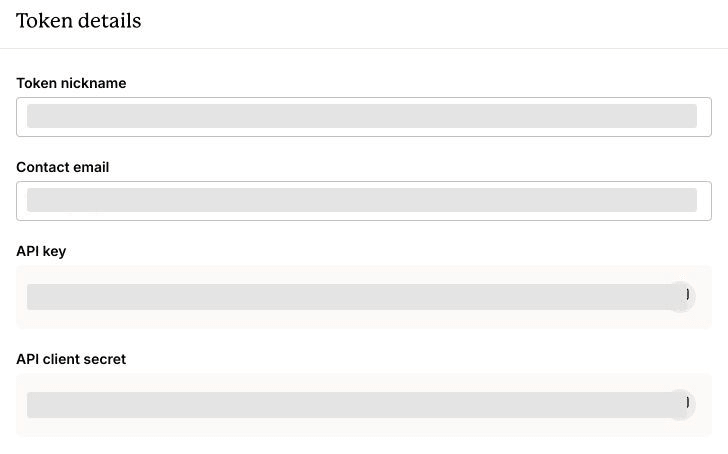
The API key and API client secret are separate values. Credentials are hidden in this screenshot.

Read plans is required. Write plans is needed only to create a plan from ABConvert.

Enable Read orders for renewal charges and refunds. Write orders is not required.

Enable Read subscriptions for subscription updates. Write subscriptions is not required.
Connect the matching store
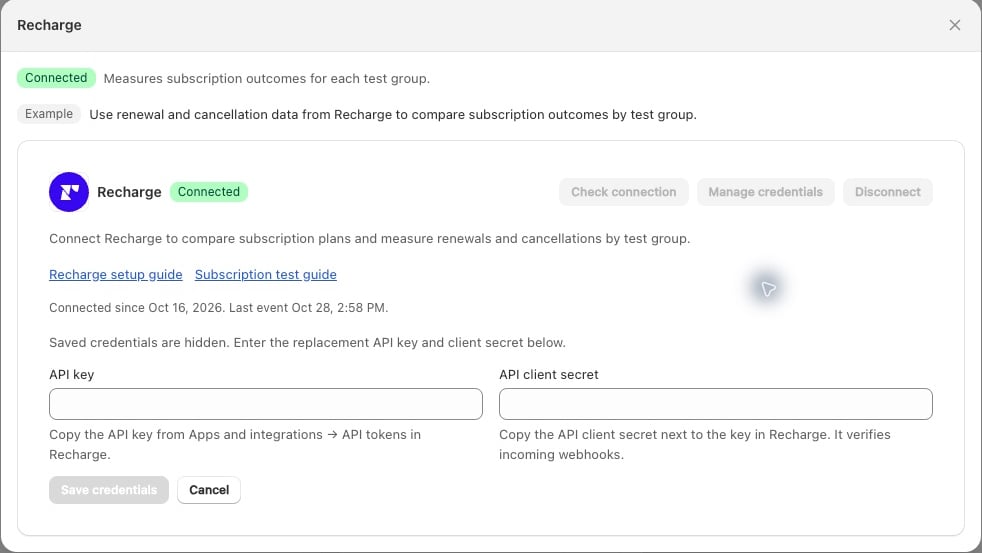
Recharge uses an API key and a separate client secret. Saved credentials stay hidden when you open Manage credentials.
Check the connection
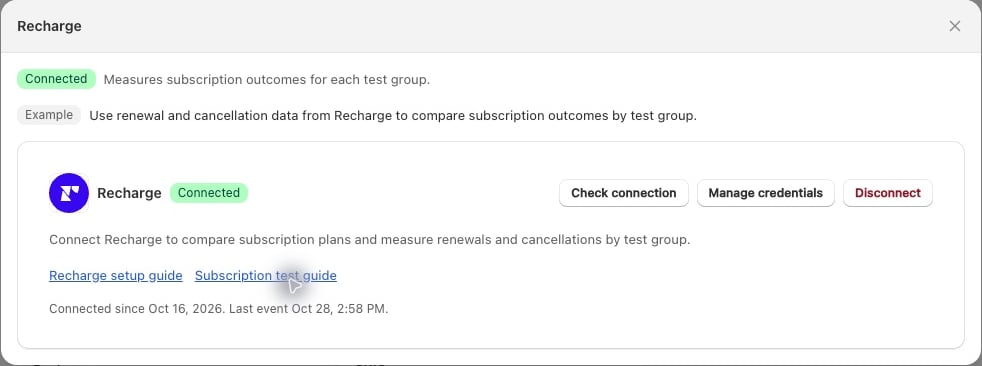
Manage the connection and check when ABConvert last received a Recharge event.
Verify a real lifecycle event
What Recharge integration covers
ABConvert processes subscription creation, activation, updates, pauses, cancellations, skips, paid charges, failed charges, and refunds when Recharge delivers a valid webhook. It can attribute subscription outcomes back to eligible test assignments. In a subscription test, choose the products first, then select one Shared plan per subscription test group. ABConvert matches that offer across every selected product. A One-time purchase test group uses those same products without a plan. At least one test group must sell a subscription. Follow the subscription test setup for the full walkthrough. For a test with one product, Create plan can create a new Recharge offer. This needswrite_plans permission. For multiple products, configure matching plans in Recharge, then use Refresh plans in ABConvert. A matching offer needs the same discount, billing and delivery schedule, quantity, and other plan terms across those products.
A new plan belongs to your Recharge store. Recharge bills renewals using that plan’s terms. ABConvert does not reprice existing plans or change existing subscriber contracts.
A subscription test group always shows one-time purchase and its own plan. Keep Show only the assigned subscription plan on to hide every other plan. A one-time test group hides subscription choices. The setting stays on, and can’t be turned off, while the test owns plans it created. ABConvert hides those plans from other test groups and from visitors outside the test, and creates them hidden from the Recharge customer portal.
After the test ends, every shopper can see the plans ABConvert created, so the results page lets you keep or remove them. Subscribers already on a plan keep their price. Removing a plan only stops new signups.
When to use it
- Measure subscription conversion: compare which test group creates or activates more subscriptions after an eligible test exposure.
- Measure renewal quality: compare paid renewals, failed charges, cancellations, and refunds by the originating test group.
- Test an existing offer: assign a plan your store already owns, then compare first orders and lifecycle outcomes by test group.
- Test a deeper discount: create a 20% plan for Variant A next to your 10% plan in Control, then compare subscriptions and renewals by test group.
Update credentials
Open Integrations → Recharge → Manage credentials, enter the replacement API key and API client secret, then select Save credentials. ABConvert checks the key and restores missing webhooks using the existing endpoint. Saved secrets stay hidden. Cancel discards unsaved changes.If the connection needs attention
- The key belongs to another store: use the Admin API token for the Shopify store you have open in ABConvert.
- The key is rejected or the connection check reports a permission error: enable Store Information → Read access (
read_store) on the Admin API token. ABConvert needs this permission to verify the store, even if the token can already read plans and orders. - Plans or lifecycle data cannot load: review the token’s read permissions in Recharge. Charge events need orders access; subscription events need subscriptions access.
- Create plan reports a permission error: enable plan write access in Recharge, then reconnect through Manage credentials if you replaced the key.
- Webhooks are missing: select Restore tracking, then Check connection again.
- Connected, but no events appear: confirm that a subscription purchase was attributed to the test. Verify later event delivery in Recharge before relying on renewal results.
Common mistakes
- Using a Storefront token. Use a Recharge Admin API token with the read permissions listed in the setup steps.
- Leaving out the client secret. Copy the separate API client secret from the same token as the API key.
- Expecting Connected to confirm renewal reporting. Check a purchase from your test and a later renewal in the test results.
When not to use it
- To change an existing subscriber’s price or delivery schedule, manage that subscription in Recharge.
- To compare one-time product prices, use a price test.
FAQ
Does connecting Recharge import all past subscriptions?
Does connecting Recharge import all past subscriptions?
What is the difference between Check connection and Restore tracking?
What is the difference between Check connection and Restore tracking?
What happens when I disconnect?
What happens when I disconnect?