

Audience targeting decides who enters. To limit a template or visual editor test to certain pages, see Page targeting. For the whole flow, see the Targeting overview.
When to use it
- Test a free shipping banner for Canada only.
- Run a landing page test only on visitors from paid social ads.
- Test a stacked product page layout on phones.
- Test a welcome offer for visitors from one campaign.
- Run a wholesale price test for wholesale accounts only.
- Test a shipping message only for visitors from your European market.
When NOT to use it
- You want a template or visual editor test on certain pages. A condition decides who enters, not which pages change. Use page targeting.
- You want matching visitors in a fixed test group. A condition only lets visitors in. Use a targeting rule.
Before you start
- The ABConvert app embed must be on in your theme, or the test does not run.
- If you use Visitor type, turn the app embed on well before the test starts. Visitors who came before it was on have no record, so they count as new.
Conditions
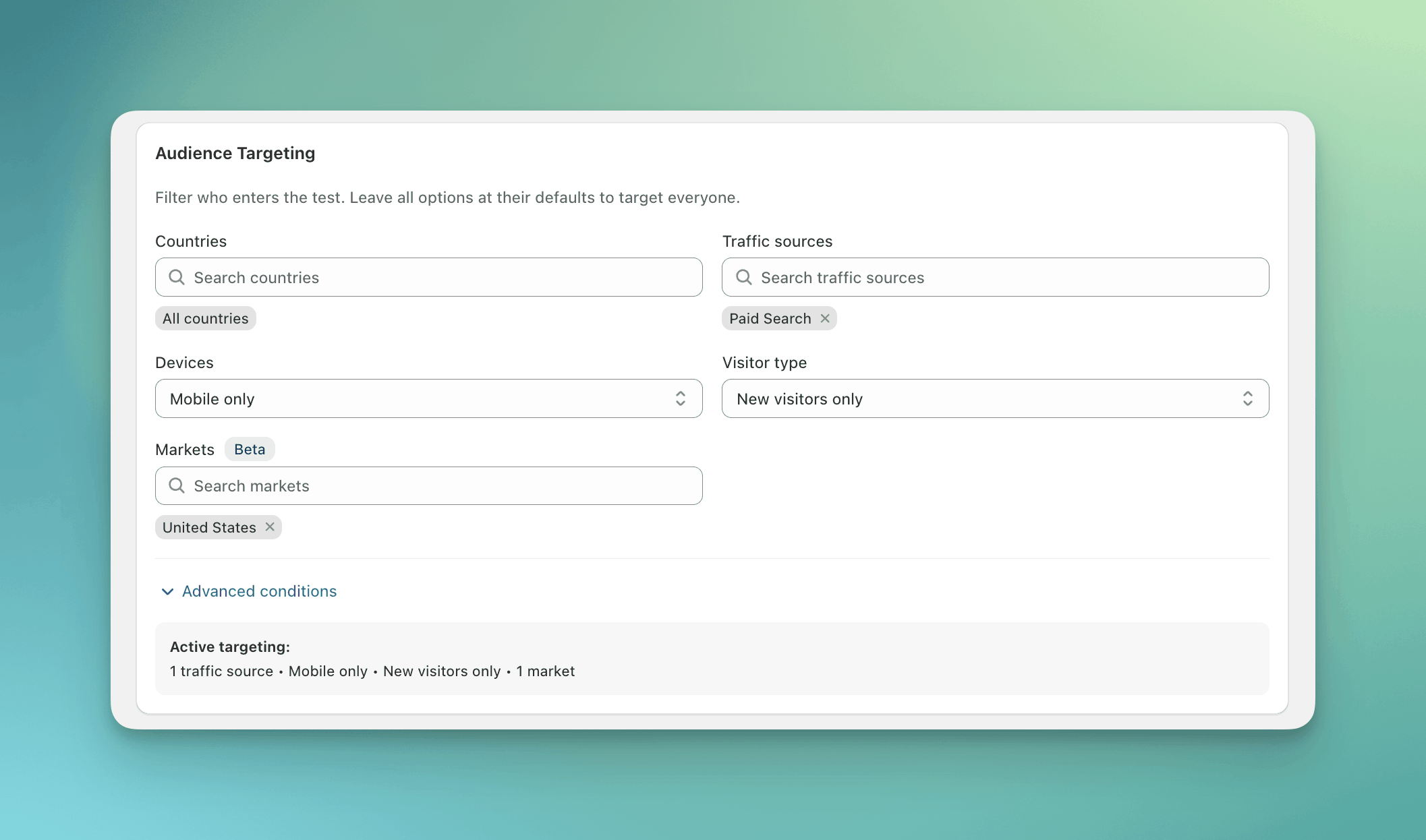
Paid Search visitors on mobile, new since the test started, in the United States market.
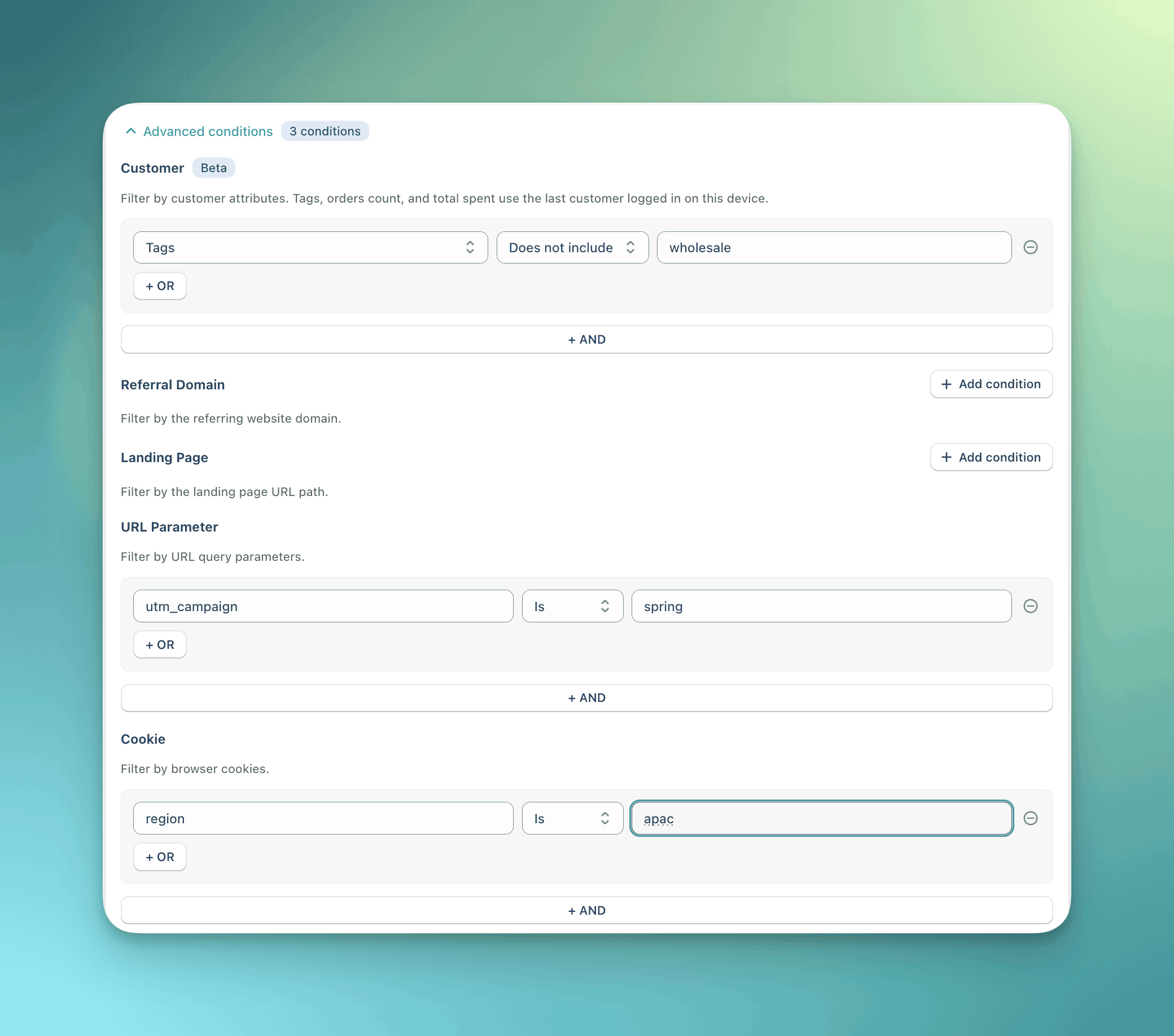
Three conditions. The visitor must match all of them.
How it works
- ABConvert reads every condition in the visitor’s browser, on the first page where the test could run.
- If a value it needs is unknown on this page, it decides nothing and tries again on the next page.
- If the visitor matches every condition, they go on to targeting rules and the random split. If not, ABConvert excludes them and never counts them.
- ABConvert remembers the decision, even if the value changes later.
Customer conditions can change
Customer conditions are the only exception to step 4, because a visitor can sign in or out after the decision. ABConvert remembers the tags, orders count, and total spent of the last customer who signed in on the device, so signing out alone does not change the result. If a visitor in the test stops matching, the test stops applying to them until they match again:- They see the original store from that page load on.
- Nothing they do while it is stopped counts toward the test’s analytics.
- Their test group is kept. When they match again, they see the same test group as before.
wholesale:
- Anna signs in, enters the test, and sees Variant A.
- She signs out. ABConvert remembers her details on that device, so she still sees Variant A.
- You remove the
wholesaletag from her account. The next time she signs in, she stops matching and sees the original store. - You add the tag back. She signs in and sees Variant A again.
When the value is unknown
Traffic sources
ABConvert decides the source on the first page and keeps it for the whole visit. It reads the click IDs and UTM parameters in the URL, and the site the visitor came from. You can pick a channel, a platform, or both. A visit matches if it matches any value you picked.
ABConvert checks the platforms first. A visit from Google or Facebook takes that channel even when the link carries
utm_medium=email.
Platforms: Google, Facebook, Instagram, TikTok, Twitter, YouTube.
Examples
Mobile visitors from a Meta campaign in the US. Three conditions, all required:- Countries:
United States - Devices:
Mobile only - URL parameter:
utm_sourceIsmeta
- Orders count Is more than
1 - Tags Does not include
wholesale
- Landing page Starts with
/collections/sale
Common mistakes
- Picking the platform when you mean the channel. Google matches Google Ads and Google Search visits. To target ads only, pick Paid Search. That covers Bing ads too.
- Using Landing page to choose where the test runs. It reads the first page of the visit only. Use page targeting.
- Turning the app embed on the day the test starts. Visitors who came before have no record, so Visitor type counts them all as new.
FAQ
Do conditions slow down my store?
Do conditions slow down my store?
No. Most conditions read values already on the page. Countries needs one lookup that does not block the page. If it has not answered, the visitor is decided on the next page instead.