> ## Documentation Index
> Fetch the complete documentation index at: https://docs.abconvert.io/llms.txt
> Use this file to discover all available pages before exploring further.
# Custom JavaScript
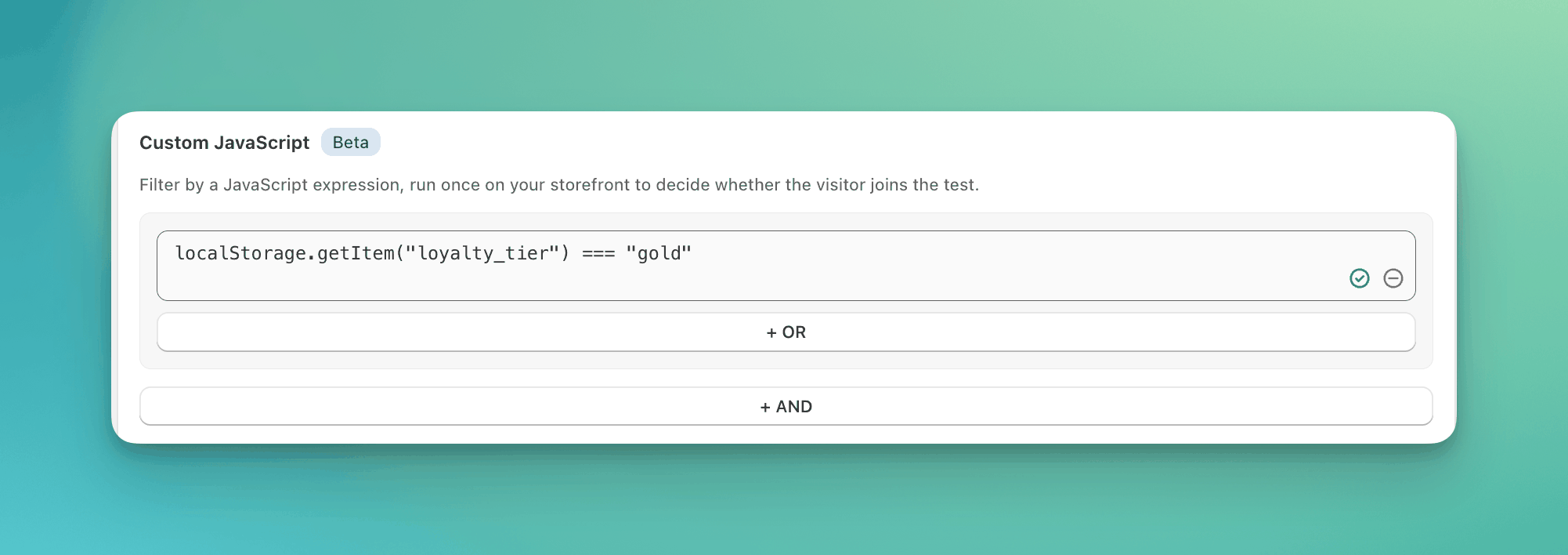
> Write one JavaScript expression that runs on your storefront to decide whether a visitor enters a test.
A custom JavaScript condition is one expression that ABConvert runs in the visitor's browser. If the result is true, the visitor matches. Use it when your own code already knows something about the visitor that the built-in conditions in [Audience Targeting](/targeting/audience-targeting) do not.
The expression runs like any other script on your storefront. Do not paste code you do not understand.
 ## When to use it
* Visitors your loyalty or CDP app has tagged, when it stores the tier in local storage:
```javascript theme={null}
localStorage.getItem("loyalty_tier") === "gold"
```
* Visitors whose browser is set to French:
```javascript theme={null}
navigator.language.startsWith("fr")
```
* B2B customers, when your theme prints the company from a customer metafield:
```javascript theme={null}
document.body.dataset.customerCompany !== undefined
```
## When NOT to use it
* **A built-in condition already reads the value.** Country, device, traffic source, cookie, and URL parameter are built-in conditions in [Audience Targeting](/targeting/audience-targeting). They need no code.
* **The value loads after the page.** The expression runs once, on load. A value a script sets later reads as missing.
## What the expression must be
* **One expression.** No statements, no semicolons, no comments. `a && b` is fine. `var x = 1; x` is not.
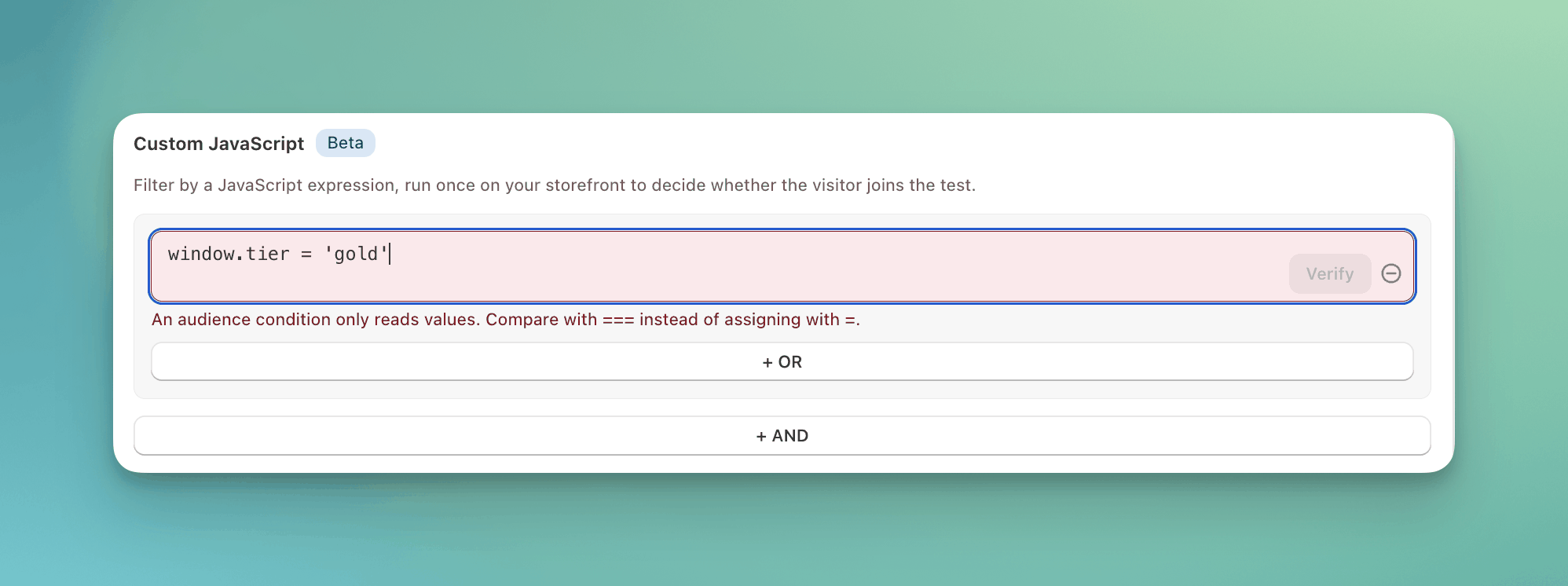
* **Reads only.** The expression can only read values, never change them. Compare with `===`, not `=`.
* **500 characters or fewer.**
* **The result decides.** Any result counts as true or false. `0`, `""`, `null`, and `undefined` are false. To match the opposite, wrap the expression: `!(...)`.
* **The expression can read anything the page can read.** `window`, `document`, `navigator`, `document.cookie`, `localStorage`, and any global your theme or other apps set, such as `dataLayer`.
## How it is evaluated
1. ABConvert runs the expression once, at the moment it decides the visitor, on the first page where the test could run.
2. If the result is true, the visitor matches this condition. If it is false, the visitor is excluded.
3. It runs once per visitor and never again, unless the same test also uses a [customer condition](/targeting/audience-targeting#customer-conditions-can-change). A change in the customer's details re-runs every condition, this expression included.
## When the expression cannot answer
| Situation | Result |
| --------------------------------------------------------------------------------------- | ---------------------------------------------------------------- |
| The expression errors, for example `window.shop.tier` when `window.shop` does not exist | The visitor does not match. |
| The value is set by a script that runs after the page loads | The expression reads `undefined` and the visitor does not match. |
For a value that may be missing, use `?.` so the expression returns false instead of erroring: `window.shop?.tier === "gold"`.
## Validation
ABConvert checks the expression before you can continue, and again at launch. If it is refused, the reason tells you what to change:
| Message | Fix |
| -------------------------------------------------------------------------------------- | ------------------------------------------------------------------------------------------------------------------ |
| Expression is not valid JavaScript. | Fix the syntax. Check brackets and quotes. |
| Enter one expression. Remove anything after it, including semicolons and comments. | Keep a single expression. |
| An audience condition only reads values. Compare with === instead of assigning with =. | You wrote `=`. Use `===`. |
| Expression cannot run in the browser. Details: ... | You used syntax the storefront cannot run, such as top-level `await`. The details come from the JavaScript engine. |
## When to use it
* Visitors your loyalty or CDP app has tagged, when it stores the tier in local storage:
```javascript theme={null}
localStorage.getItem("loyalty_tier") === "gold"
```
* Visitors whose browser is set to French:
```javascript theme={null}
navigator.language.startsWith("fr")
```
* B2B customers, when your theme prints the company from a customer metafield:
```javascript theme={null}
document.body.dataset.customerCompany !== undefined
```
## When NOT to use it
* **A built-in condition already reads the value.** Country, device, traffic source, cookie, and URL parameter are built-in conditions in [Audience Targeting](/targeting/audience-targeting). They need no code.
* **The value loads after the page.** The expression runs once, on load. A value a script sets later reads as missing.
## What the expression must be
* **One expression.** No statements, no semicolons, no comments. `a && b` is fine. `var x = 1; x` is not.
* **Reads only.** The expression can only read values, never change them. Compare with `===`, not `=`.
* **500 characters or fewer.**
* **The result decides.** Any result counts as true or false. `0`, `""`, `null`, and `undefined` are false. To match the opposite, wrap the expression: `!(...)`.
* **The expression can read anything the page can read.** `window`, `document`, `navigator`, `document.cookie`, `localStorage`, and any global your theme or other apps set, such as `dataLayer`.
## How it is evaluated
1. ABConvert runs the expression once, at the moment it decides the visitor, on the first page where the test could run.
2. If the result is true, the visitor matches this condition. If it is false, the visitor is excluded.
3. It runs once per visitor and never again, unless the same test also uses a [customer condition](/targeting/audience-targeting#customer-conditions-can-change). A change in the customer's details re-runs every condition, this expression included.
## When the expression cannot answer
| Situation | Result |
| --------------------------------------------------------------------------------------- | ---------------------------------------------------------------- |
| The expression errors, for example `window.shop.tier` when `window.shop` does not exist | The visitor does not match. |
| The value is set by a script that runs after the page loads | The expression reads `undefined` and the visitor does not match. |
For a value that may be missing, use `?.` so the expression returns false instead of erroring: `window.shop?.tier === "gold"`.
## Validation
ABConvert checks the expression before you can continue, and again at launch. If it is refused, the reason tells you what to change:
| Message | Fix |
| -------------------------------------------------------------------------------------- | ------------------------------------------------------------------------------------------------------------------ |
| Expression is not valid JavaScript. | Fix the syntax. Check brackets and quotes. |
| Enter one expression. Remove anything after it, including semicolons and comments. | Keep a single expression. |
| An audience condition only reads values. Compare with === instead of assigning with =. | You wrote `=`. Use `===`. |
| Expression cannot run in the browser. Details: ... | You used syntax the storefront cannot run, such as top-level `await`. The details come from the JavaScript engine. |
 ## Examples
| Goal | Expression |
| ----------------------------------------------------- | -------------------------------------------- |
| Visitors who arrived from your mobile app | `navigator.userAgent.includes("MyStoreApp")` |
| Visitors who have not seen a popup you set a flag for | `!localStorage.getItem("seen_popup")` |
| Visitors your CRM has not marked as VIP | `!(window.crm?.vip === true)` |
## Common mistakes
* **Writing `=` instead of `===`.** `window.tier = "gold"` assigns and is always true. `window.tier === "gold"` compares.
* **Reading a value that loads later.** Analytics and personalization scripts often set globals after the page renders. Read a cookie or local storage value that is already there.
* **Expecting the expression to re-run on later pages.** It runs once per visitor. To limit a test to certain pages, use [page targeting](/targeting/page-targeting).
* **Adding a second expression as a new row when you mean AND.** Join the two with `&&` in one expression.
## FAQ
No. It only decides whether the visitor enters. To send matching visitors to one test group, use a [targeting rule](/targeting/overview#targeting-rules).
## Examples
| Goal | Expression |
| ----------------------------------------------------- | -------------------------------------------- |
| Visitors who arrived from your mobile app | `navigator.userAgent.includes("MyStoreApp")` |
| Visitors who have not seen a popup you set a flag for | `!localStorage.getItem("seen_popup")` |
| Visitors your CRM has not marked as VIP | `!(window.crm?.vip === true)` |
## Common mistakes
* **Writing `=` instead of `===`.** `window.tier = "gold"` assigns and is always true. `window.tier === "gold"` compares.
* **Reading a value that loads later.** Analytics and personalization scripts often set globals after the page renders. Read a cookie or local storage value that is already there.
* **Expecting the expression to re-run on later pages.** It runs once per visitor. To limit a test to certain pages, use [page targeting](/targeting/page-targeting).
* **Adding a second expression as a new row when you mean AND.** Join the two with `&&` in one expression.
## FAQ
No. It only decides whether the visitor enters. To send matching visitors to one test group, use a [targeting rule](/targeting/overview#targeting-rules).