> ## Documentation Index
> Fetch the complete documentation index at: https://docs.abconvert.io/llms.txt
> Use this file to discover all available pages before exploring further.
# Personalization
> Give each audience the best version of your store. Test to find the winner, then roll it out to the visitors it won for.
## What is a personalization?
A personalization shows one proven experience to an audience you choose. Each audience gets the best version of your store.
It is the second half of an optimization loop. A test tells you which version wins for which visitors. A personalization then shows that winner to the whole audience. From there, keep testing: pick another audience, find its winner, and roll it out too.
## When to use it
* **Roll out a winning test group.** A test ended with a clear winner. Show that winner to everyone the test targeted, without keeping a split running.
* **Regional experiences.** Show EU visitors the shipping message and rates that won your EU test. The rest of the world keeps the original.
* **Device-specific experiences.** Show the simplified product page that won on mobile to mobile visitors only.
* **Channel-specific offers.** Show visitors from a paid ad campaign the offer that won for them, without discounting the rest of your traffic.
## When NOT to use it
* **You haven't validated the change yet.** Run a [test](/experiments/overview) first. A personalization applies a change. It can't tell you whether the change works.
* **You want to measure lift.** A personalization has no Control, so there is no comparison. Use a test to measure.
* **The change is for everyone, permanently.** If a price should change for all visitors, update it in Shopify instead.
[Offers](/experiments/offer-test) and [checkout changes](/experiments/checkout-test) are the exception: they only exist in ABConvert, so a personalization is the way to keep them permanently.
## How it works
Think of a personalization as one experience attached to one audience. Visitors in the audience see it. Everyone else sees your original store. There is no random assignment and no Control.
1. You define the audience and the changes, then roll it out.
2. Visitors in the audience see the personalized version on every page and every visit.
3. You can edit anything while it's live, including the audience and the changes. Edits apply right away.
4. When you end it, all visitors see the original store again.
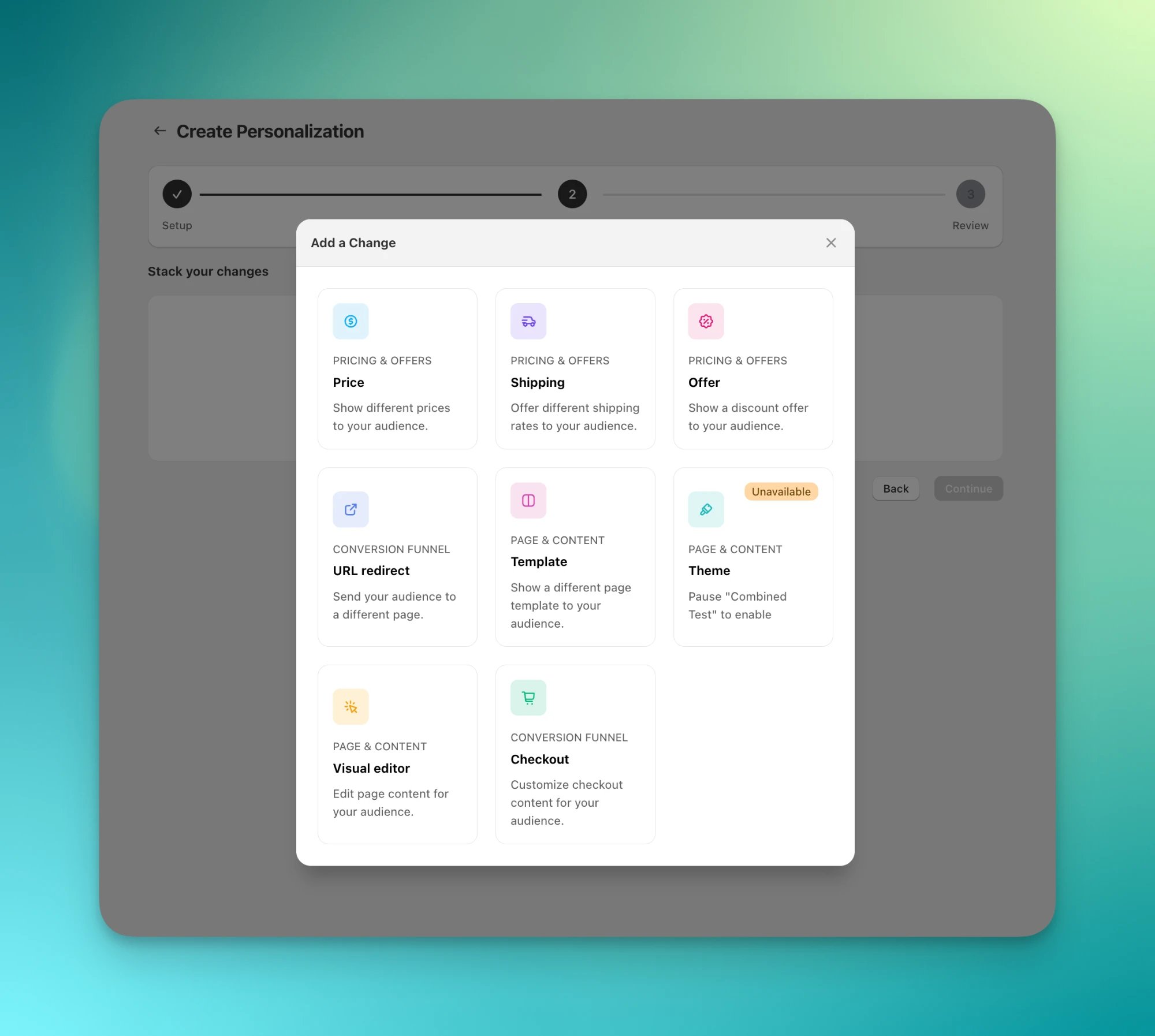
A personalization supports the same changes as a [combined test](/experiments/combined-test): price, shipping, offer, URL redirect, template, theme, visual editor, and checkout.
## Roll out a winning test group
The shortest path starts from a test's Analytics dashboard. It works for a running test or an ended one.
On the test's Analytics dashboard, click **Roll out** and pick the test group you want to keep. ABConvert prefills a personalization draft with that test group's exact changes.
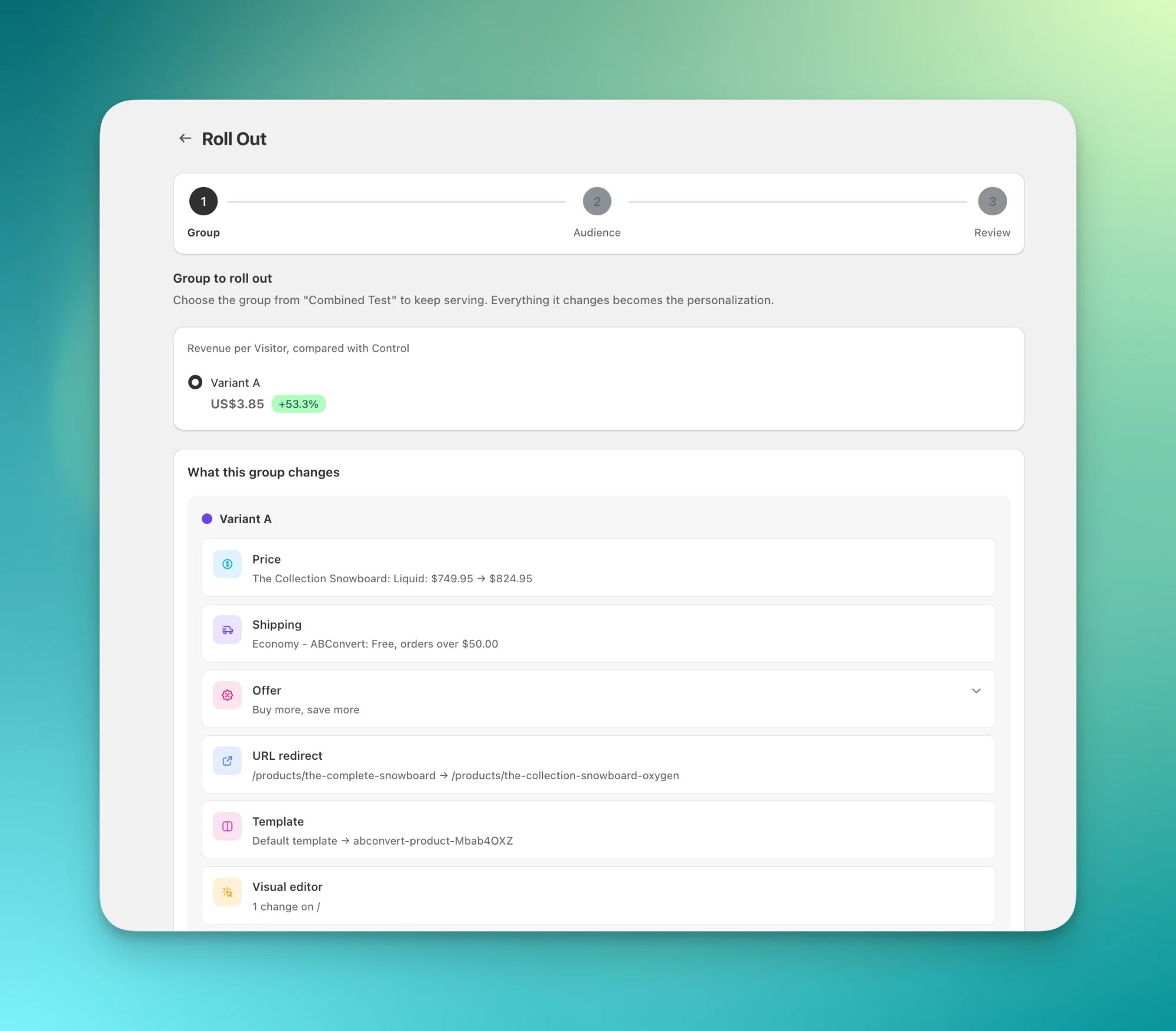 The audience starts from the test's audience. Keep it, narrow it, or open it to all visitors.
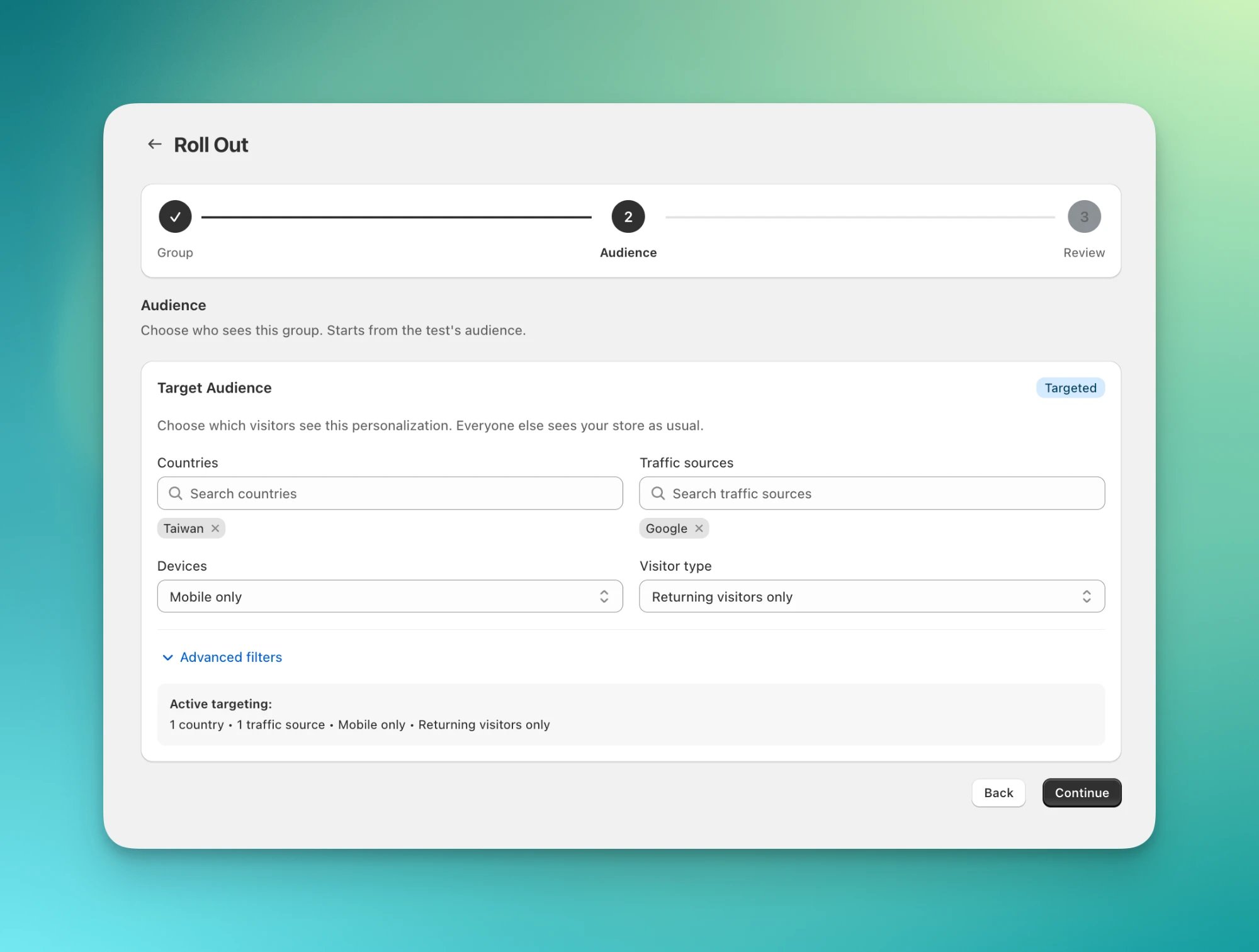 Confirm the changes and roll out. If the test is still running, ABConvert ends it for you. The winner replaces the test in one step.
## Create a personalization from scratch
In the ABConvert dashboard, open **Personalizations** and click **Create personalization**.
Confirm the changes and roll out. If the test is still running, ABConvert ends it for you. The winner replaces the test in one step.
## Create a personalization from scratch
In the ABConvert dashboard, open **Personalizations** and click **Create personalization**.
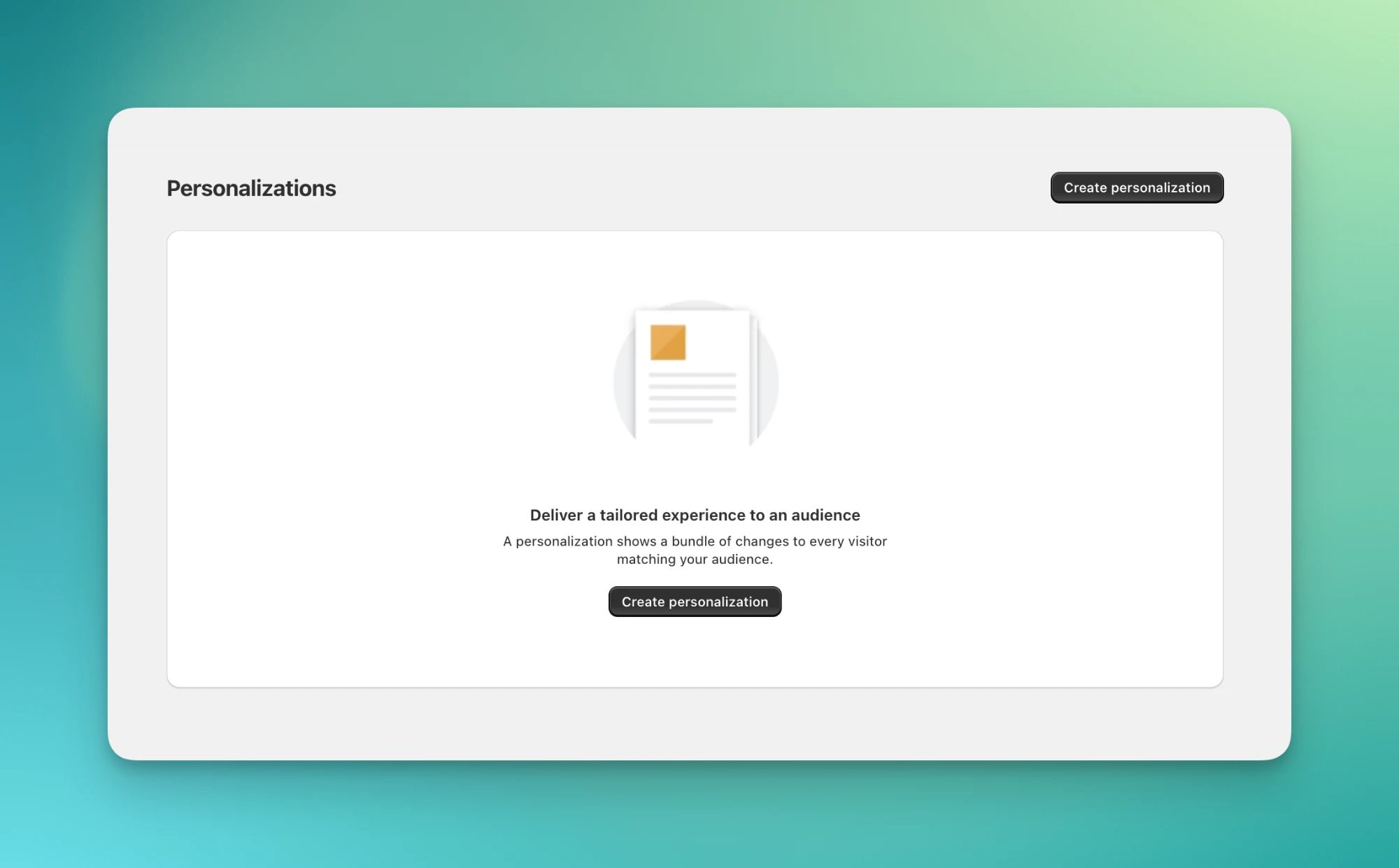 Name the personalization and choose who sees it with [audience targeting](/experiments/audience-targeting).
Click **Add change** and set up each change, the same way you would in a combined test.
Name the personalization and choose who sees it with [audience targeting](/experiments/audience-targeting).
Click **Add change** and set up each change, the same way you would in a combined test.
 Preview the personalized version on your storefront, then roll it out.
## When a test and a personalization overlap
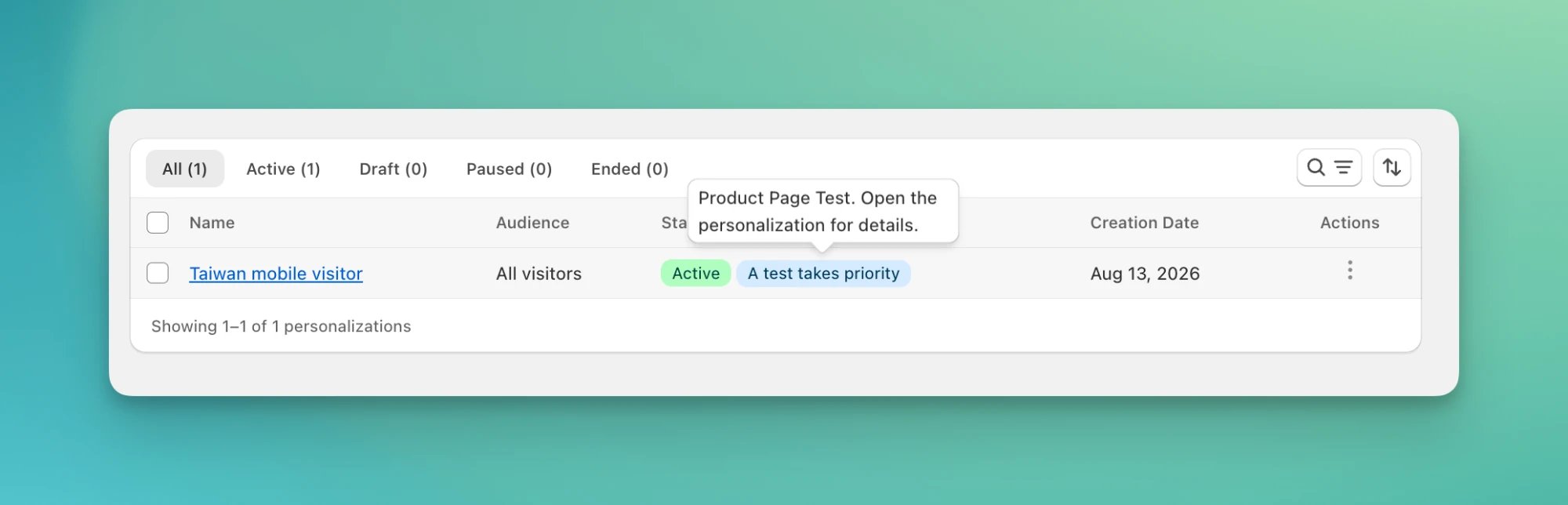
A test takes priority over a personalization wherever they touch the same thing. Everyone in the test sees the test's version. That includes Control: Control sees your original store, not the personalization. Everywhere else, and for visitors outside the test, the personalization still applies.
What "the same thing" means depends on the type:
| Type | A test overrides a personalization when they share |
| ------------------------------------- | ----------------------------------------------------------------------------------------- |
| Price | the same product |
| Shipping | the shipping rates at checkout |
| Checkout | the same checkout section |
| Offer | the offer (all or nothing) |
| Template, URL redirect, visual editor | the same page |
| Theme | the whole storefront. Only one theme test or theme personalization can be live at a time. |
When you launch a test over a live personalization, ABConvert warns you and marks the personalization as overridden. Nothing changes silently. This rule keeps your test results clean: Control stays a true baseline.
Preview the personalized version on your storefront, then roll it out.
## When a test and a personalization overlap
A test takes priority over a personalization wherever they touch the same thing. Everyone in the test sees the test's version. That includes Control: Control sees your original store, not the personalization. Everywhere else, and for visitors outside the test, the personalization still applies.
What "the same thing" means depends on the type:
| Type | A test overrides a personalization when they share |
| ------------------------------------- | ----------------------------------------------------------------------------------------- |
| Price | the same product |
| Shipping | the shipping rates at checkout |
| Checkout | the same checkout section |
| Offer | the offer (all or nothing) |
| Template, URL redirect, visual editor | the same page |
| Theme | the whole storefront. Only one theme test or theme personalization can be live at a time. |
When you launch a test over a live personalization, ABConvert warns you and marks the personalization as overridden. Nothing changes silently. This rule keeps your test results clean: Control stays a true baseline.
 ## Analytics
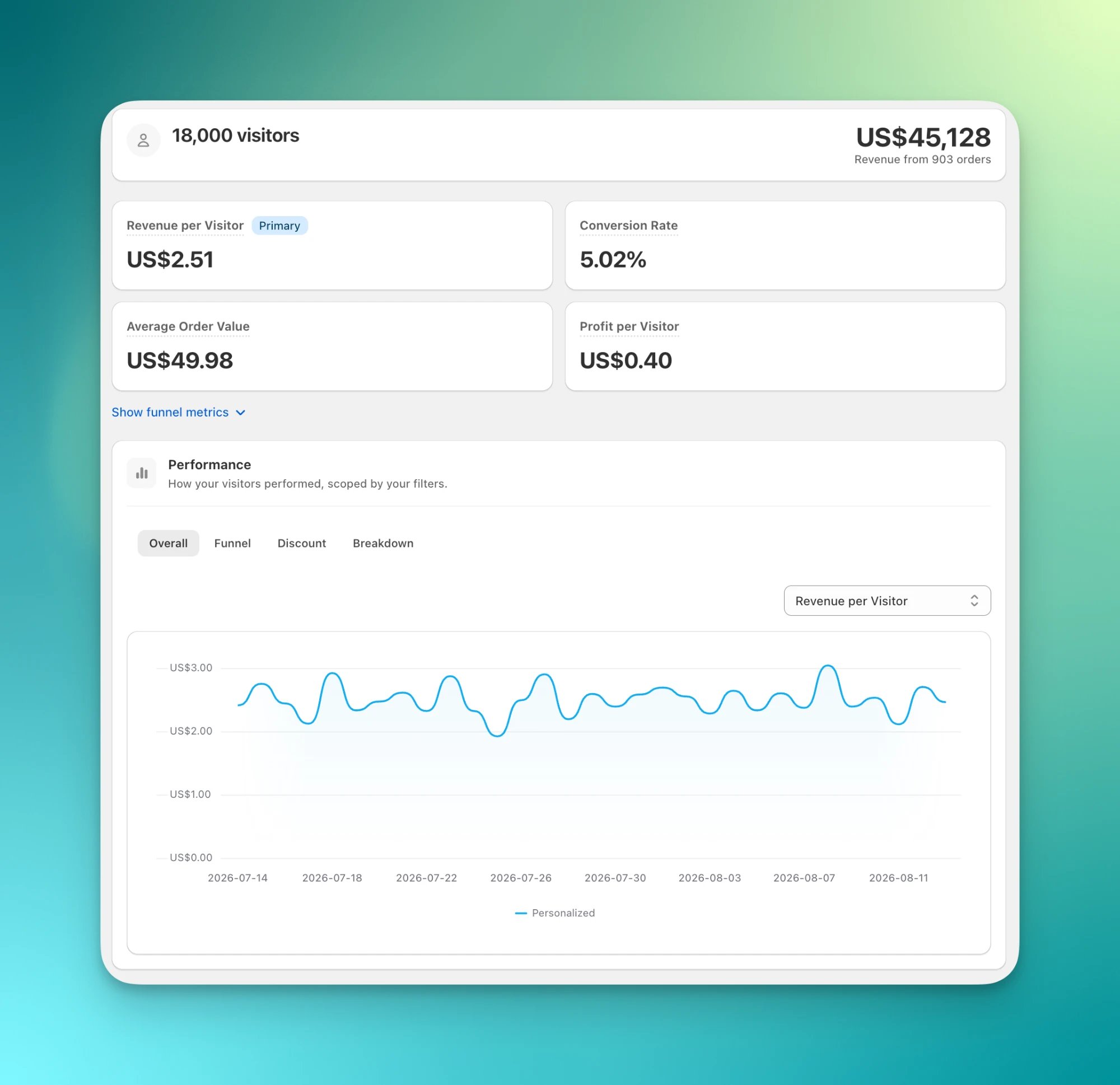
Personalization analytics covers the visitors who saw it. You get the same metrics as a test: revenue per visitor, conversion rate, average order value, and profit per visitor. Everyone in the audience sees the same version, so there is one line on the chart, no Control, and no lift number.
To judge impact, compare with the result of the test that produced it.
## Analytics
Personalization analytics covers the visitors who saw it. You get the same metrics as a test: revenue per visitor, conversion rate, average order value, and profit per visitor. Everyone in the audience sees the same version, so there is one line on the chart, no Control, and no lift number.
To judge impact, compare with the result of the test that produced it.
 ## Common mistakes
* **Expecting a personalization to override a running test.** It won't. Where they overlap, the test takes priority until it ends.
* **Treating the audience as a split.** An audience is a filter, not a percentage. Visitors outside it never see the personalization.
## Personalization FAQs
Yes. Edit the name, audience, and changes while it's live. Edits apply right away. A new audience changes who sees it from that point on.
Yes. If two personalizations touch the same thing for the same visitor, the one rolled out most recently applies there.
Yes. A visitor in the audience sees the same version on every visit. If you edit the audience so they no longer match, they see the original store from then on.
All visitors see your original store again. Ending is one-way. To bring it back, duplicate it and roll out the copy.
## Common mistakes
* **Expecting a personalization to override a running test.** It won't. Where they overlap, the test takes priority until it ends.
* **Treating the audience as a split.** An audience is a filter, not a percentage. Visitors outside it never see the personalization.
## Personalization FAQs
Yes. Edit the name, audience, and changes while it's live. Edits apply right away. A new audience changes who sees it from that point on.
Yes. If two personalizations touch the same thing for the same visitor, the one rolled out most recently applies there.
Yes. A visitor in the audience sees the same version on every visit. If you edit the audience so they no longer match, they see the original store from then on.
All visitors see your original store again. Ending is one-way. To bring it back, duplicate it and roll out the copy.