> ## Documentation Index
> Fetch the complete documentation index at: https://docs.abconvert.io/llms.txt
> Use this file to discover all available pages before exploring further.
# Install ABConvert on your Shopify store
> Add ABConvert to your store from the Shopify App Store, complete onboarding, and verify that tracking is active before you create your first experiment.
Installing ABConvert takes about five minutes. The app installs from the Shopify App Store like any other Shopify app — no code changes, no theme editing, and no developer required. Once installed, ABConvert automatically adds its tracking script and web pixel to your active theme.
Open the [ABConvert in Shopify App Store](https://apps.shopify.com/a-b-convert-price-a-b-test). Click **Install** and approve the permissions ABConvert needs after reviewing.
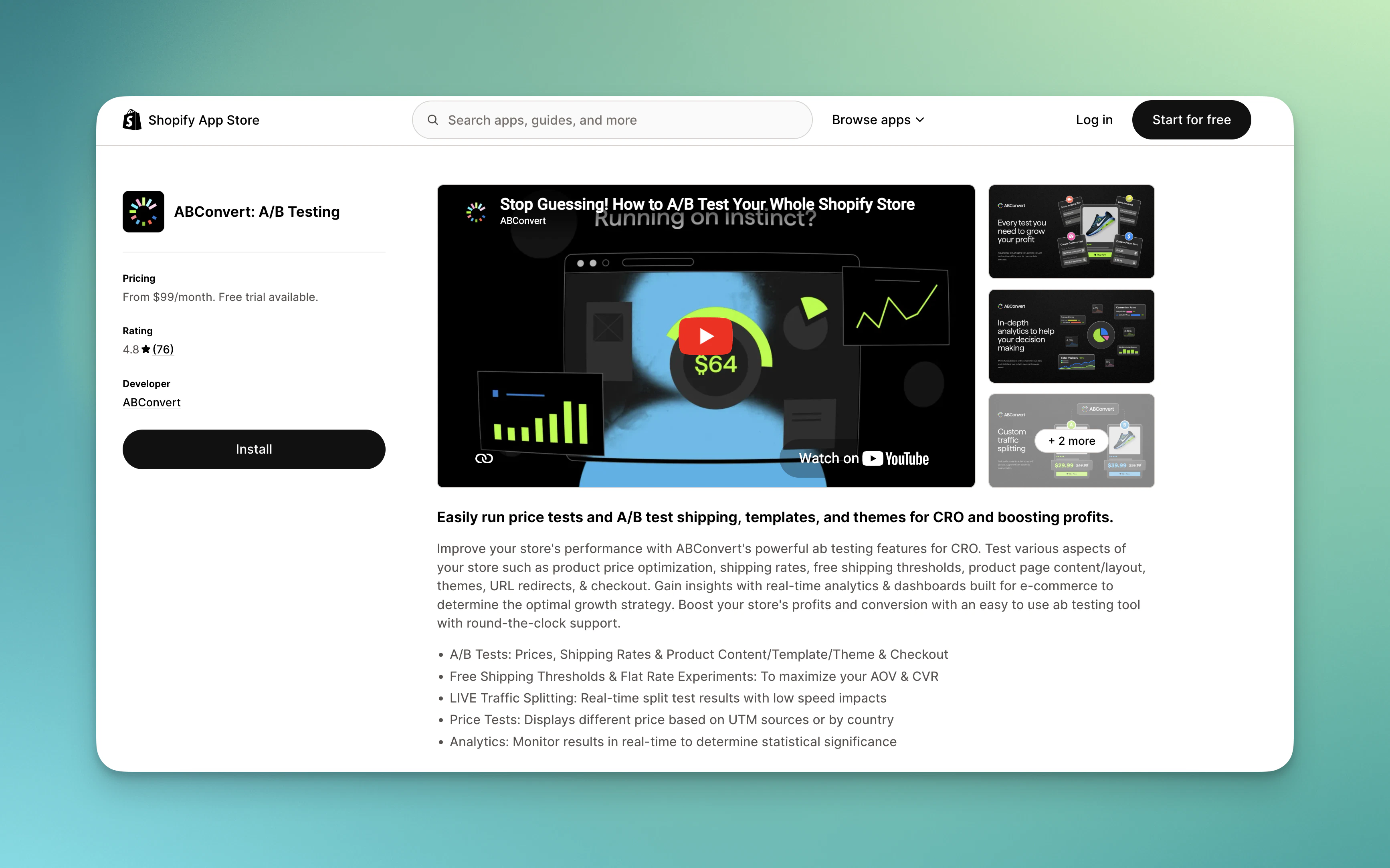 Shopify will show you an authorization screen listing the permissions ABConvert needs. Review them and approve to continue. You'll be taken directly into the ABConvert dashboard inside your Shopify admin.
ABConvert requires access to your products, orders, and theme files to run experiments. See [Terms of service](https://www.abconvert.io/terms-of-service) for a full list of what the app accesses and why.
After installation, ABConvert opens an onboarding survey. Answer a few questions about your store and your testing goals — this takes about two minutes and helps ABConvert recommend the right experiment type for your situation.
Shopify will show you an authorization screen listing the permissions ABConvert needs. Review them and approve to continue. You'll be taken directly into the ABConvert dashboard inside your Shopify admin.
ABConvert requires access to your products, orders, and theme files to run experiments. See [Terms of service](https://www.abconvert.io/terms-of-service) for a full list of what the app accesses and why.
After installation, ABConvert opens an onboarding survey. Answer a few questions about your store and your testing goals — this takes about two minutes and helps ABConvert recommend the right experiment type for your situation.
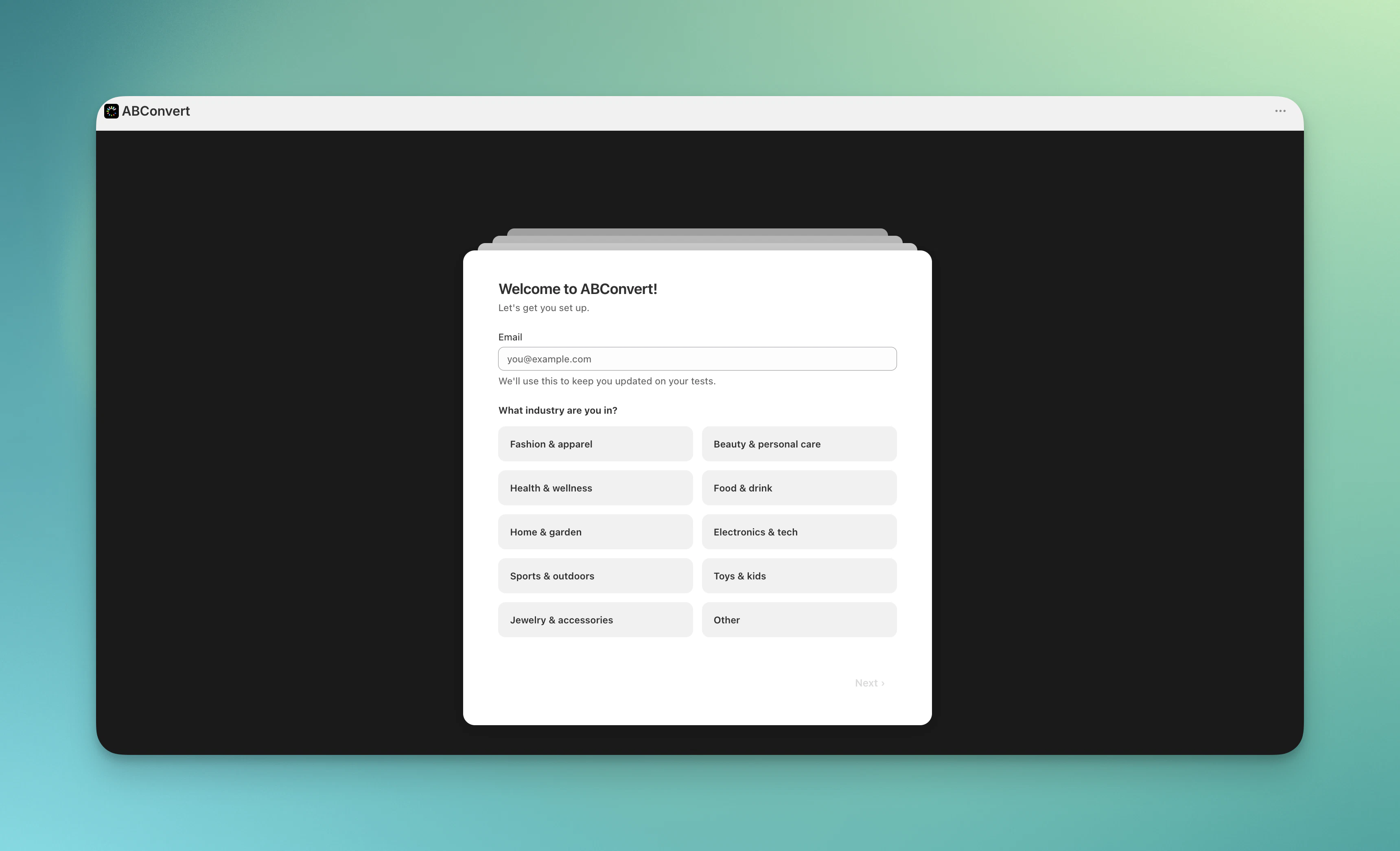 Based on your answers, ABConvert will suggest a test type and offer to walk you through creating your first experiment in guided mode, or let you explore the dashboard on your own.
After completing the onboarding survey, you can choose to explore with our guided test mode, or start creating real tests right away!
## What gets installed
When ABConvert is installed on your store, two core components are automatically set up:
1. **Web Pixel** — A Shopify customer events extension that captures high-accuracy conversion events (add-to-cart, checkout, order placement) and sends them to ABConvert's analytics pipeline without blocking page performance.
2. **Unified Script (App Embed)** — A lightweight JavaScript runtime available in your theme's app embeds. You need to activate this in your theme settings (one-time setup) for experiments to run. See [App Settings](/configuration/settings#theme-connection) for activation instructions.
## Cancel ABConvert subscription
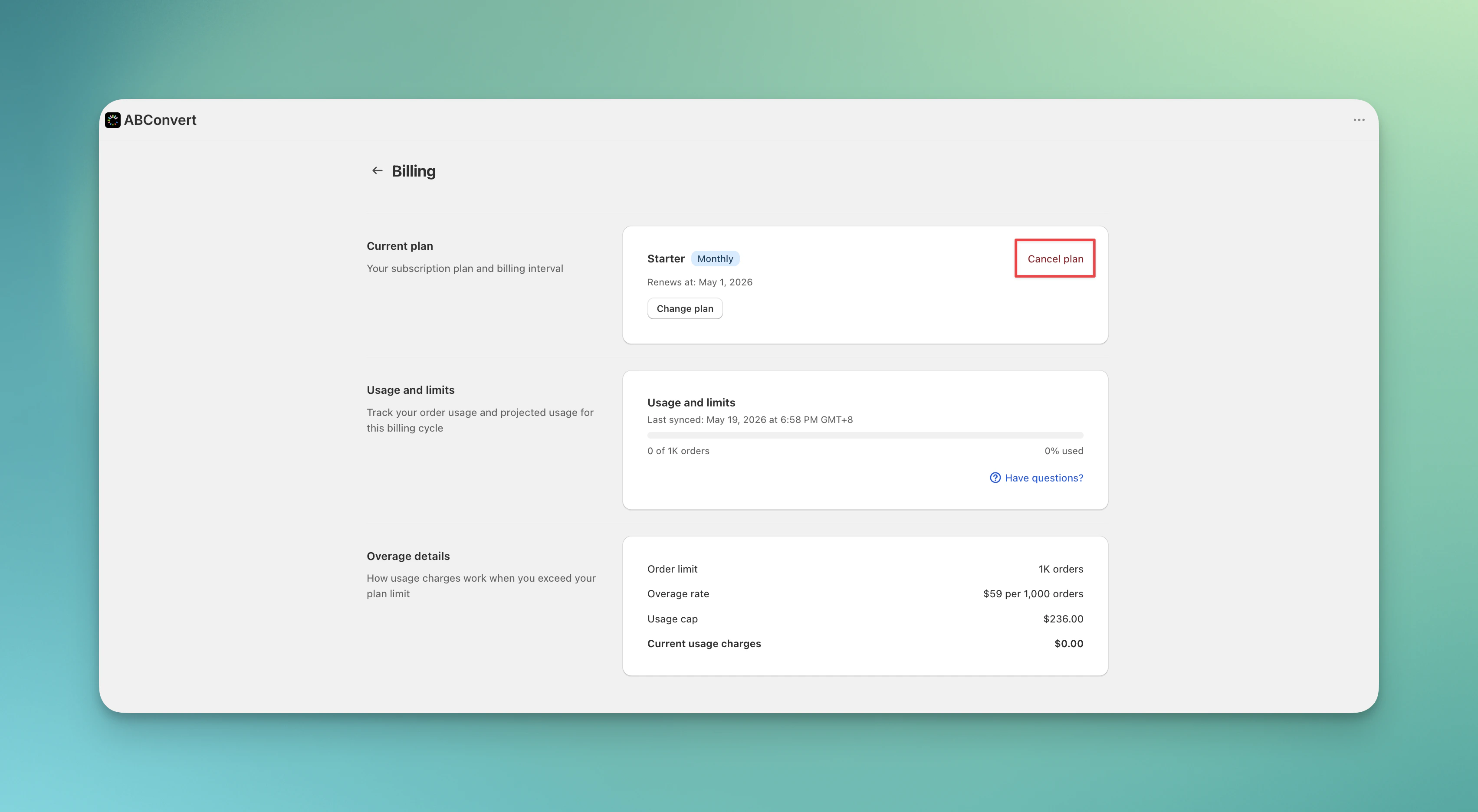
To cancel ABConvert subscription, go to **ABConvert Billing tab**, and click **Cancel Plan**. Shopify will cancel your app subscription, while you can still have full access until the end of your paid period.
Based on your answers, ABConvert will suggest a test type and offer to walk you through creating your first experiment in guided mode, or let you explore the dashboard on your own.
After completing the onboarding survey, you can choose to explore with our guided test mode, or start creating real tests right away!
## What gets installed
When ABConvert is installed on your store, two core components are automatically set up:
1. **Web Pixel** — A Shopify customer events extension that captures high-accuracy conversion events (add-to-cart, checkout, order placement) and sends them to ABConvert's analytics pipeline without blocking page performance.
2. **Unified Script (App Embed)** — A lightweight JavaScript runtime available in your theme's app embeds. You need to activate this in your theme settings (one-time setup) for experiments to run. See [App Settings](/configuration/settings#theme-connection) for activation instructions.
## Cancel ABConvert subscription
To cancel ABConvert subscription, go to **ABConvert Billing tab**, and click **Cancel Plan**. Shopify will cancel your app subscription, while you can still have full access until the end of your paid period.
 If you choose to uninstall ABConvert directly, ending all active experiments before doing so is mandatory. Uninstalling will revoke ABConvert's access to your store immediately, blocking us from ending active experiments and cleaning up everything for you.
### What if I forgot to end active tests before losing access?
If you've already uninstalled ABConvert or lost access before ending your tests, you need to manually disable ABConvert embed app:
1. Go to **Online Store → Themes** in your Shopify admin
2. In your **live theme** editor, find **ABConvert App embeds** and toggle it **off**
3. Click **Save**
This stops all experiments from showing on your storefront. If you had multiple themes with ABConvert enabled, repeat these steps for each theme.
## Next steps
Create and launch your first experiment with a step-by-step walkthrough.
Compare plan features and order limits to find the right plan for your store.
If you choose to uninstall ABConvert directly, ending all active experiments before doing so is mandatory. Uninstalling will revoke ABConvert's access to your store immediately, blocking us from ending active experiments and cleaning up everything for you.
### What if I forgot to end active tests before losing access?
If you've already uninstalled ABConvert or lost access before ending your tests, you need to manually disable ABConvert embed app:
1. Go to **Online Store → Themes** in your Shopify admin
2. In your **live theme** editor, find **ABConvert App embeds** and toggle it **off**
3. Click **Save**
This stops all experiments from showing on your storefront. If you had multiple themes with ABConvert enabled, repeat these steps for each theme.
## Next steps
Create and launch your first experiment with a step-by-step walkthrough.
Compare plan features and order limits to find the right plan for your store.